Saving a report
What saving does
Stores the question — the type, columns, groups, totals, filters and chart. Not the answer. Anyone opening it later re-runs it against live data.
Nothing is saved until you say so
The builder changes nothing while you work. The preview updates, Undo and Redo step through your changes, and none of it reaches anybody else until you click Save.
That makes the builder safe to explore in. It also means closing the tab loses everything.
The three ways to save
Where: Reports → a folder → the report's name → Edit → Save, Save & Run, or Save options
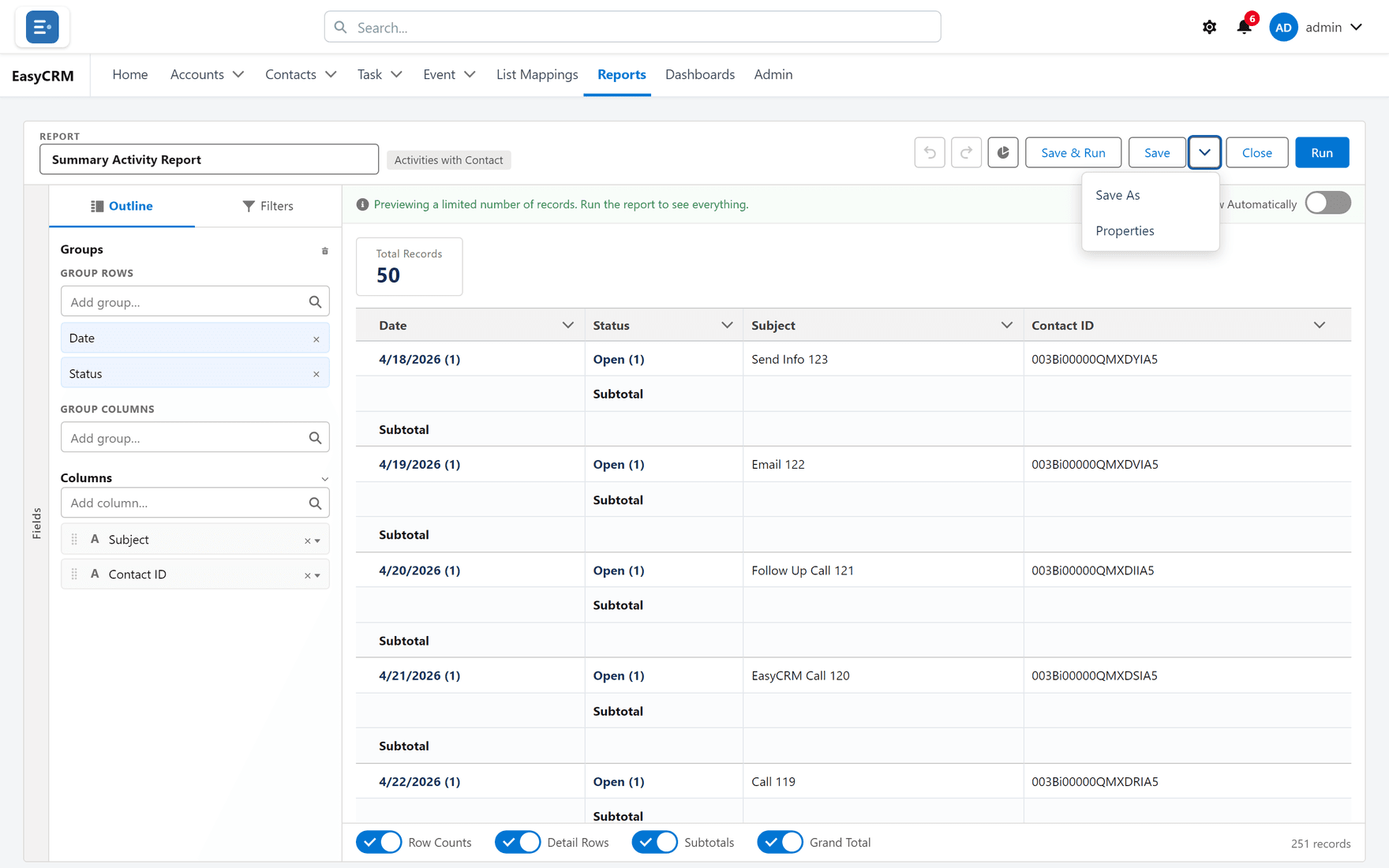
| Button | What it does | Use it when |
|---|---|---|
| Save | Keeps your changes to this report | You own it and the change is wanted |
| Save & Run | Saves, then shows the full result | You want to check it against real volume |
| Save options → Save As | A copy under a new name | The report is somebody else's, or you are experimenting |
The first time you save, you are asked for a name and a folder.
Save As is the one to reach for
If the report is not yours, Save As is almost always correct. It takes a copy, leaves the original alone, and nobody else's dashboard changes under them.
Remember that a Save on a shared report changes it for everybody it is shared with — and for every dashboard tile reading from it. There is no "just for me".
Naming so somebody else can find it
The name is what people see in a folder of thirty. Say what it answers.
| Good | Poor |
|---|---|
| Open opportunities by owner — this quarter | Report 4 |
| Accounts with no activity in 60 days | Test copy |
| Monthly task completion by team | Sarah's report (final) v2 |
Closing without saving
Click Close. If you have unsaved changes you are warned first, so you cannot lose work by clicking the wrong thing.
What goes wrong
| Symptom | Cause |
|---|---|
| "A report with that name already exists" | Names are unique within a folder. Rename, or pick another folder. |
| Save is refused | You have read-only access. Use Save As. |
| Your changes vanished | The tab was closed, or Close was taken past the warning. |
| Somebody else's dashboard changed | You used Save on a shared report. Use Save As next time. |
Where this fits
A saved report lands in a folder, and the folder decides who can see it. Once saved it can be shared with another company, exported, or used as the source for a dashboard tile.