Grouping
What grouping is
Gathering rows that share a value, so they appear together under one heading with their own subtotal.
It is the single step that turns a list into an answer. "Show me the accounts" is a list. "How many accounts per owner" is a grouping.
When to use it
When the question contains the words per, by, or each. Per rep. By month. Each region.
When not to: when somebody needs the records themselves — to work through them, or to export and manipulate. Grouping gets in the way of both. Leave it ungrouped and let them export details only.
Grouping rows
Where: Reports → a folder → the report's name → Edit → Outline → Add group… under Group Rows
-
Open the report in the builder.
-
Click the Outline tab.
-
Find the Group Rows area and click the Add group… box under it.
-
Pick the field to group by.
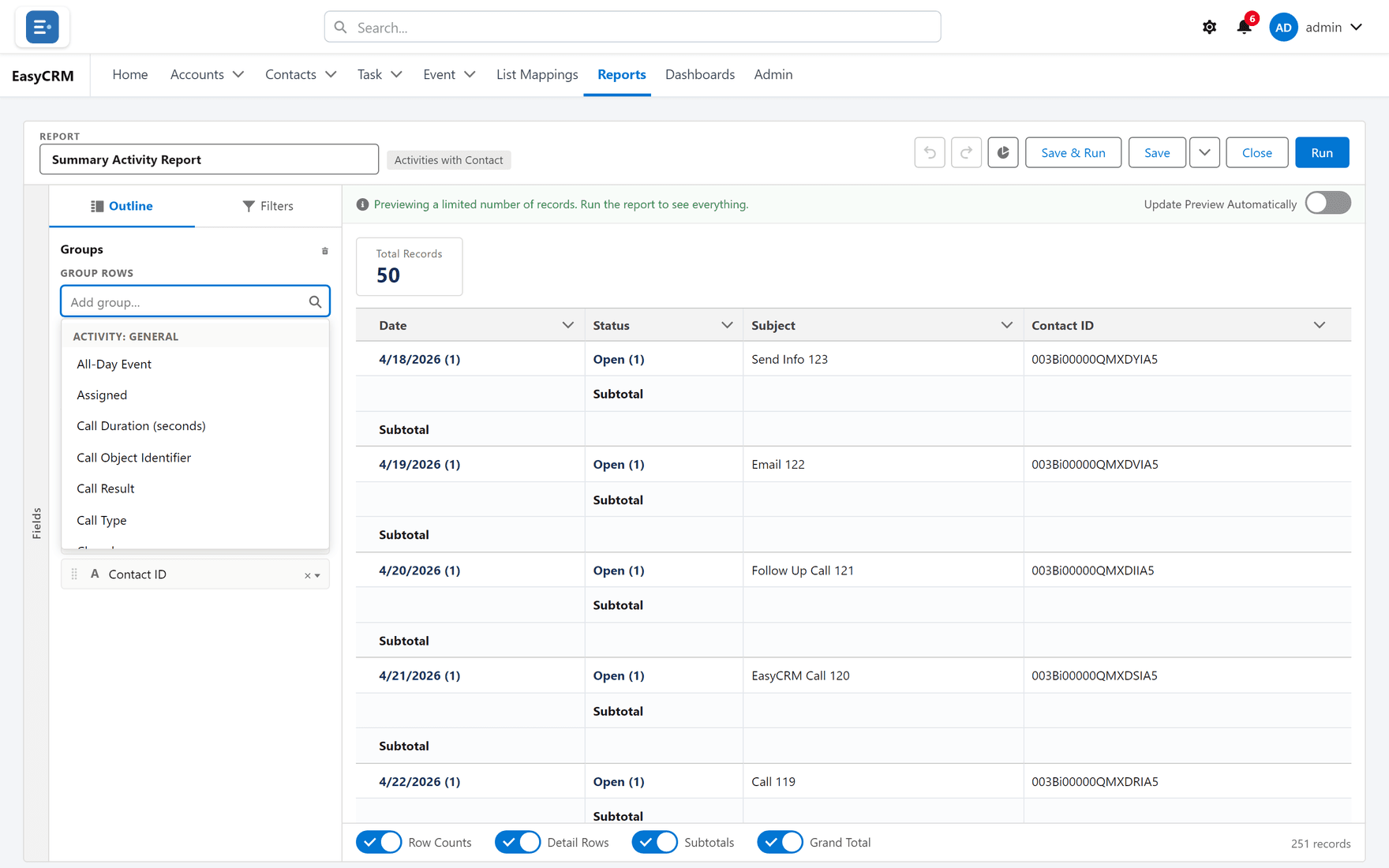
The preview changes shape. Instead of a flat list you get one block per value, each with a subtotal, and a grand total at the bottom.
Grouping further
Add a second group and each block is broken down inside itself — owner, then within each owner, by stage. Three levels is usually the practical limit before it stops being readable.
Removing a group
Click the small cross beside it, or Remove all groups to clear them at once.
Grouping across the top as well
Where: Reports → a folder → the report's name → Edit → Outline → Add group… under Group Columns
This makes the report a matrix: groups down the side and across the top, with a figure in every cell.
-
In the Outline tab, find Group Columns.
-
Click the Add group… box under it.
-
Pick a field.
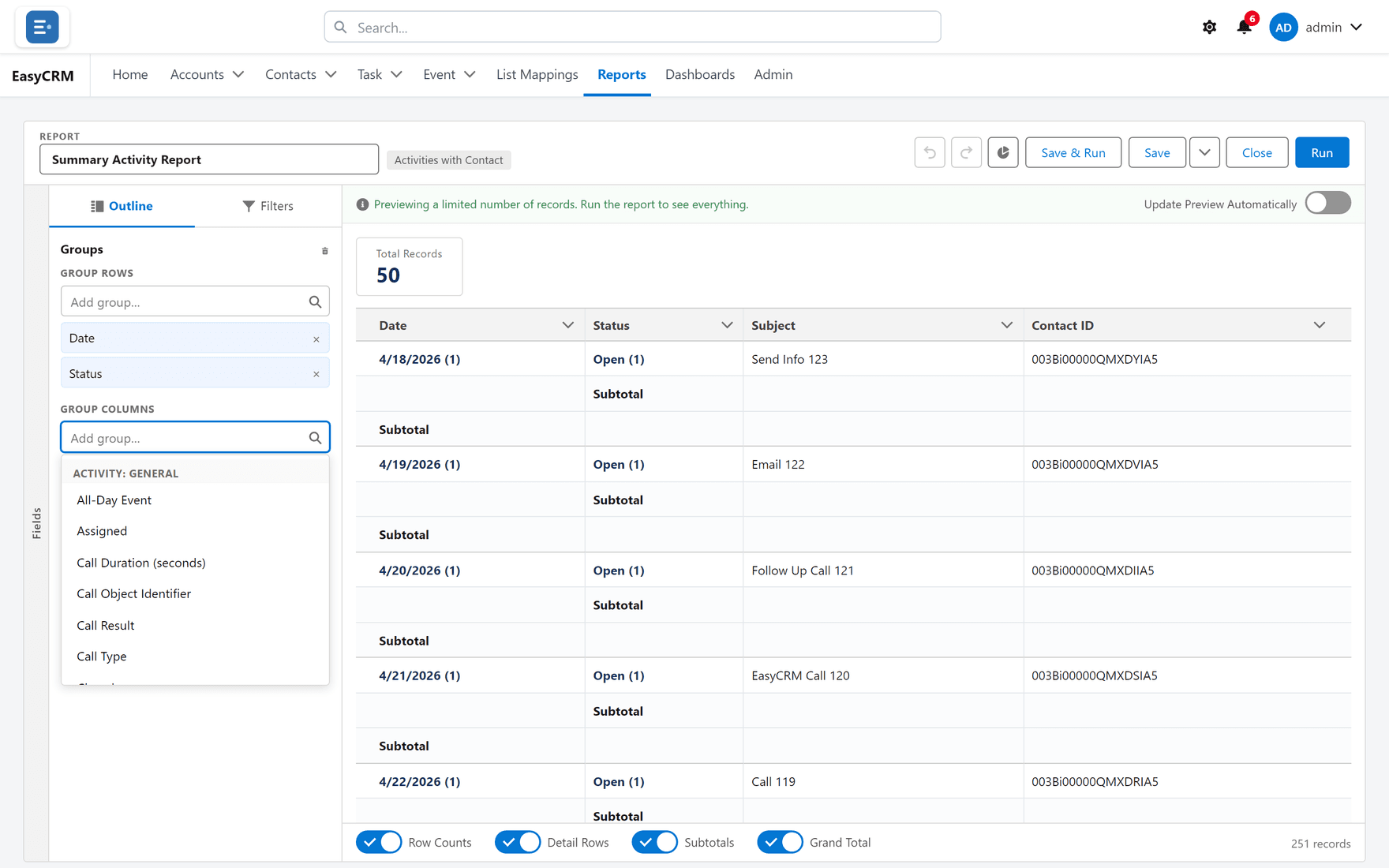
Owner down the side and month across the top gives you "how much did each rep do each month" in one screen.
Choosing what to group by
| Good grouping fields | Why |
|---|---|
| Owner, team, region | Few values, each meaningful |
| Stage, status, type | Naturally categorical |
| Month, quarter | Time, in sensible buckets |
| Poor grouping fields | Why |
|---|---|
| Anything unique, like a record name | One group per record — worse than no grouping |
| A free-text field | "London", "london" and "London " become three groups |
| An exact date | 365 groups a year. Group by month instead |
If the field you want to group by has too many values, invent your own categories with a bucket column.
The three shapes
You never pick the shape from a menu. It follows from what you group.
| Groups | Shape | Looks like |
|---|---|---|
| None | Tabular | A plain list |
| Rows only | Summary | Blocks with subtotals |
| Rows and columns | Matrix | A grid |
What goes wrong
| Symptom | Cause |
|---|---|
| Hundreds of groups with one row each | Grouped by something nearly unique. |
| Values that should be one group are several | Free text with inconsistent spelling or spacing. |
| Subtotals are blank | Nothing is being totalled yet. See Totals. |
| The chart option does nothing | A chart needs a grouping. Add one first. |
Where this fits
Grouping produces the subtotals that Totals fill in, and the groups that Charts plot. A summary formula also needs a grouping to calculate against.