Finding a report
What a report is. A saved question about your data.
What it does. It gathers the records matching your rules and shows them, grouped and totalled however you chose.
Why it helps. You build it once. After that it is always current, because it reads the live data every time somebody opens it. There is no such thing as an out-of-date report.
Opening the reports area
Where: Reports in the top menu
- Click Reports in the row of tabs across the top.
- The reports area opens.
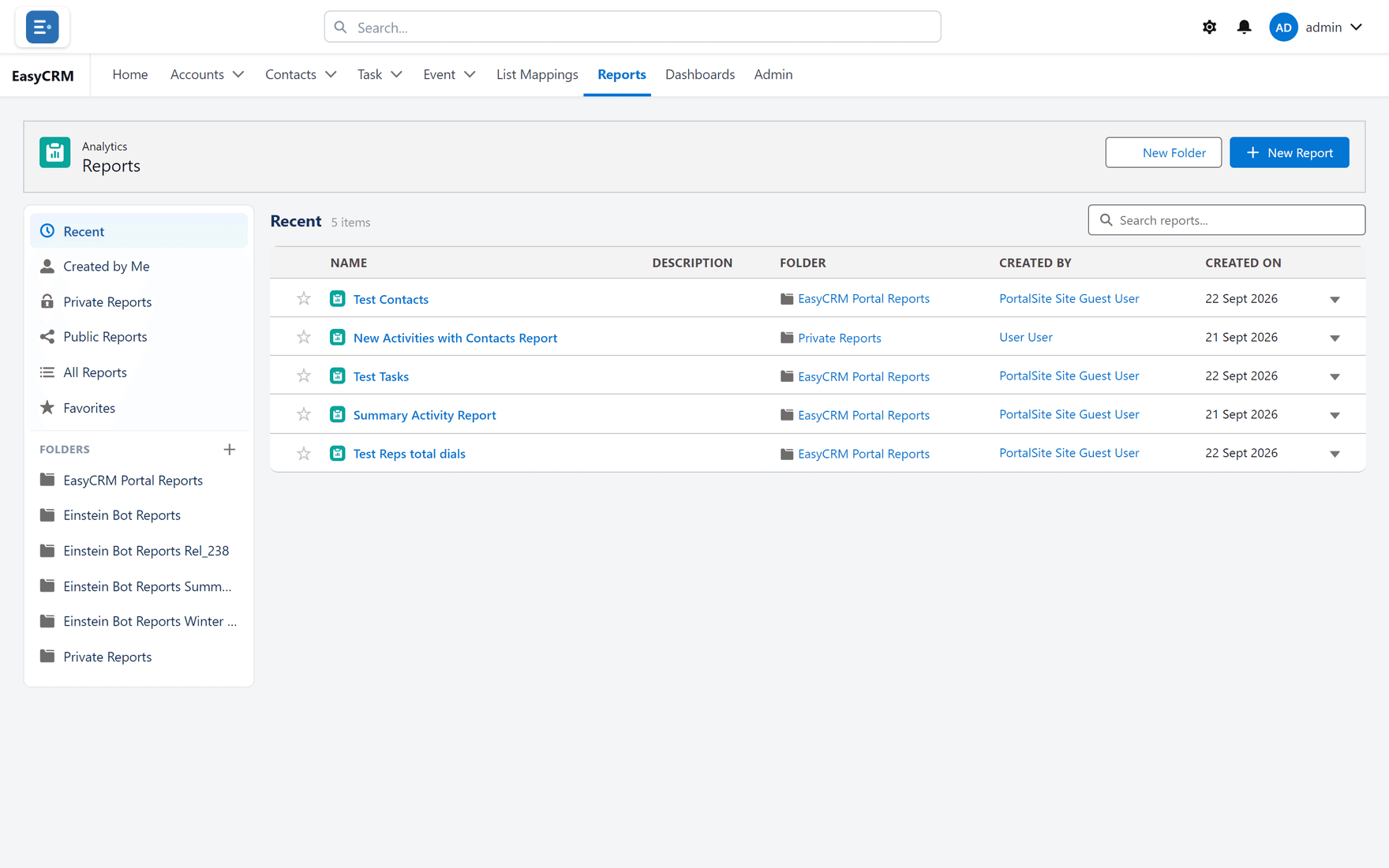
What you are looking at
The screen has two parts.
On the left: folders. Reports are kept in folders, and the folder decides who can see them.
| Folder | Who sees what is in it |
|---|---|
| Recent | Not a real folder — just what you opened lately. |
| Favorites | Reports you have starred. |
| Private Reports | Only you. |
| Any other folder | Whoever that folder is shared with. |
On the right: the reports in whichever folder you have selected, with who made each one and when.
Opening a report
- Click a folder on the left to see what is inside it.
- Click the report's name.
- It runs and shows you today's answer.
See Running a report.
Starring a report you use often
- Find the report in the list.
- Click the star beside its name.
- It now appears under Favorites on the left.
Click the star again to remove it.
Making a folder
Where: Reports → New Folder
-
Click Reports in the top menu.
-
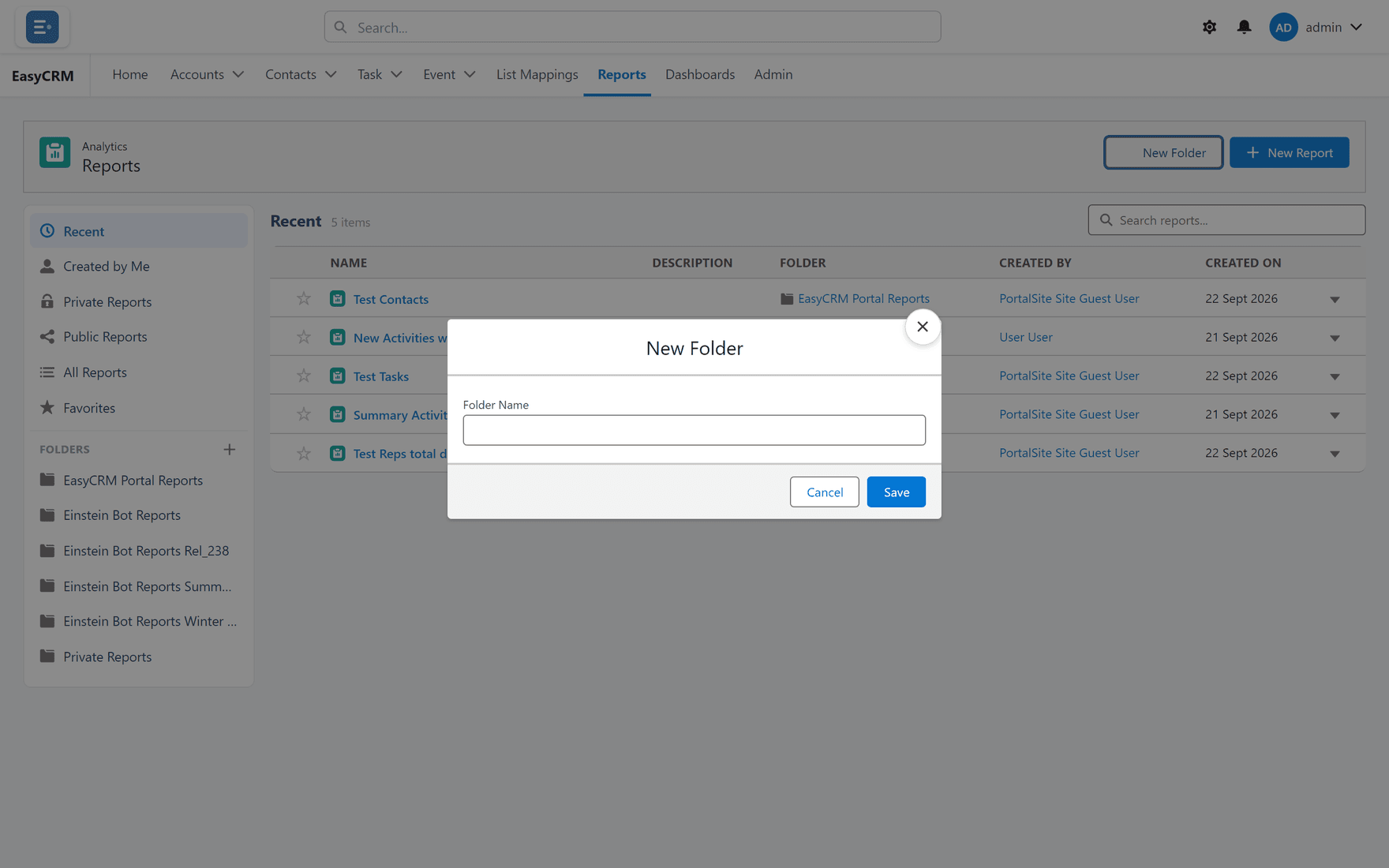
Click New Folder at the top.
-
Type a name.
-
Click Save.
A new folder starts out visible only to you. To let a company see it, a Super Admin shares it under Reports and Dashboards.
If you cannot find a report somebody mentioned
It is in a folder you cannot see. Ask them which folder it is in, then ask your administrator to share that folder with your company.