Report filters
What they are. The rules that decide which records a report includes.
What they do. A filter keeps the rows you want and drops the rest, before any grouping or totalling happens.
Why it helps. A report with no filters answers "everything". Most useful questions are narrower: this quarter, this owner, this status.
Adding a filter
Where: the builder → Filters → Add Filter
-
Open the report in the builder — see The report builder.
-
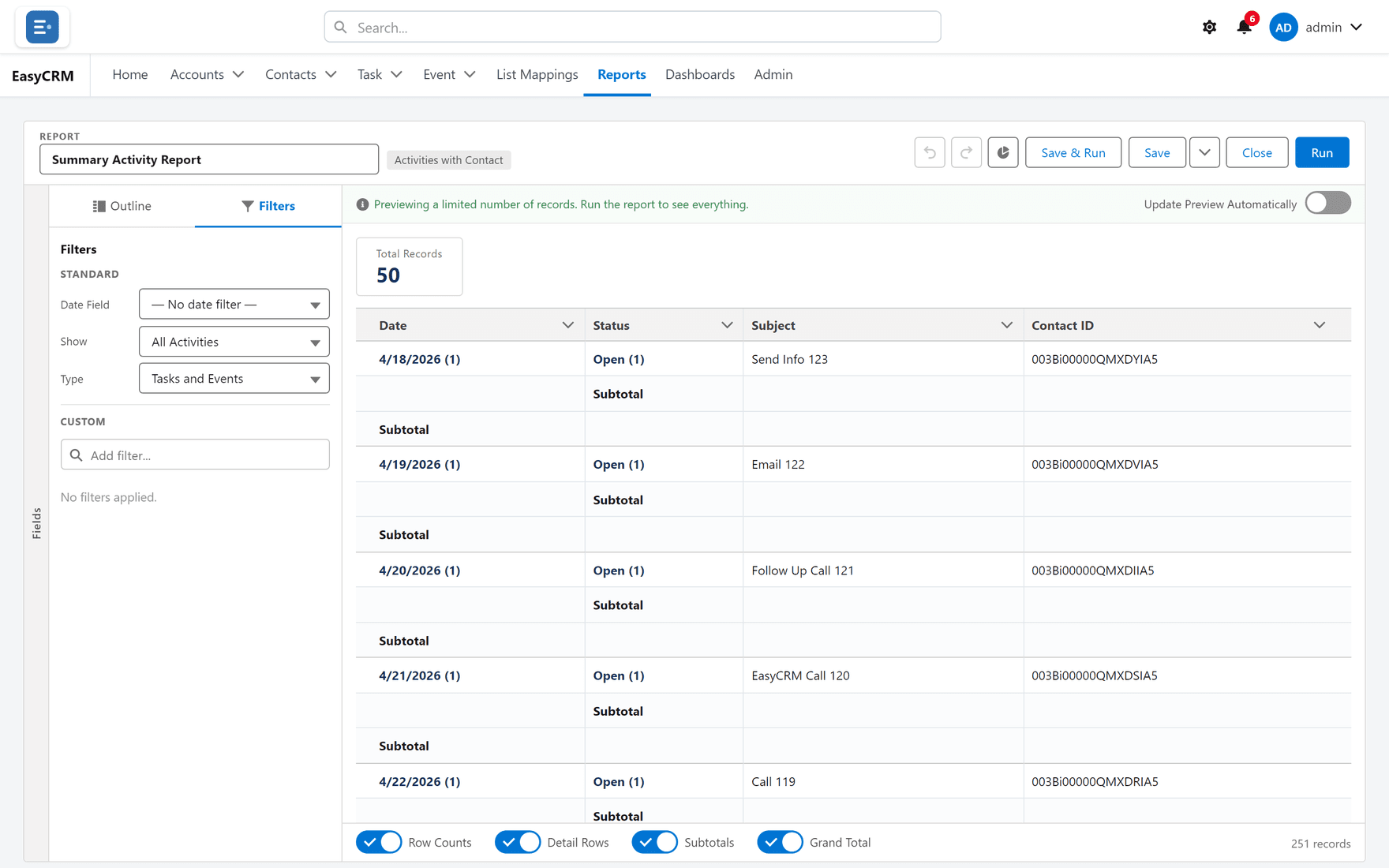
Click the Filters tab at the top left.
-
Click Add Filter.
-
Choose three things:
- Field — what to look at.
- Operator — how to compare it: equals, contains, greater than, and so on.
- Value — what to compare it to.
-
Click Apply.
The preview re-runs with fewer records.
By default a record must match every filter you add.
Filter logic
Each filter has a number — 1, 2, 3 — in the order you added them.
- In the Filters tab, click Filter Logic.
- Type a rule using those numbers.
| Rule | Means |
|---|---|
| 1 AND 2 | Both must be true. This is the default. |
| 1 OR 2 | Either will do. |
| 1 AND (2 OR 3) | Filter 1, plus either 2 or 3. |
| 1 AND NOT 2 | Filter 1, but not filter 2. |
- Click Apply.
Use OR when you want several alternatives — three different statuses, say. Use brackets exactly as you would in arithmetic.
Date filters
Most reports take a date range from a drop-down rather than two typed dates: this month, last quarter, this year. Those move with time, so "last quarter" stays correct next month without anybody editing the report.
Choose Custom when you need exact dates that should not move.
Filtering a report while you read it
You do not have to open the builder to narrow a report you are looking at.
- Open the report.
- Click Filters.
- Change a value.
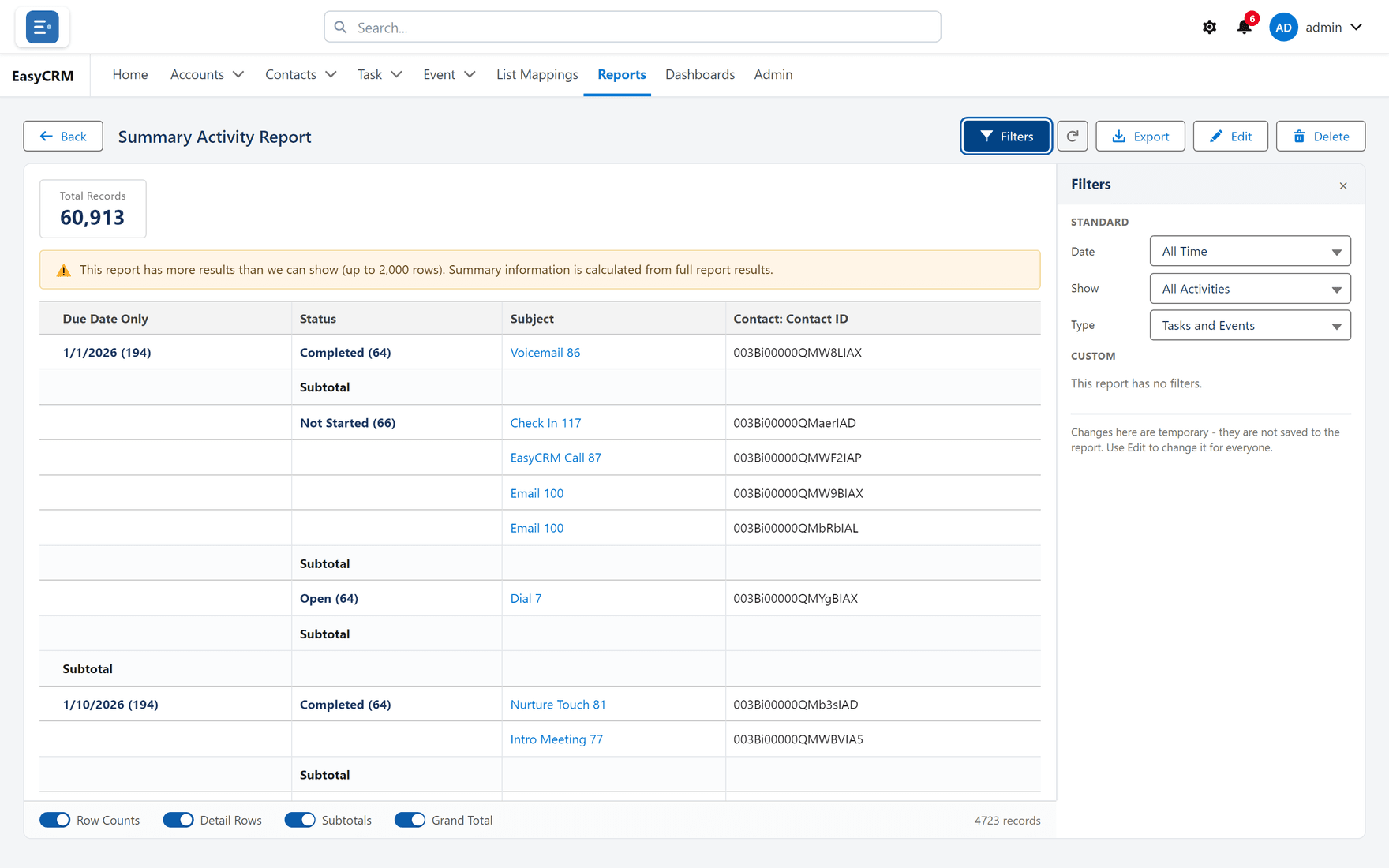
This changes only your view, and only until you leave the page. The saved report is untouched.
Locked filters
Some filters are set by whoever built the report and cannot be changed or removed by anybody reading it. They are how a report meant for one company stays limited to that company.
If a filter will not change, it is locked. Ask whoever owns the report.