Searching
Two different searches
The portal has two, and reaching for the wrong one wastes time.
| Where | Searches | |
|---|---|---|
| Global search | The box at the very top of the screen | Every kind of record you can see |
| Search this list | Above a list, on the right | Only the list you are on |
Global search — when you do not know where it lives
Where: the Search... box at the top of any page
-
Click Search... in the middle of the top bar.
-
Start typing. A few letters is enough — you do not need the whole name.
-
Results appear underneath as you type, grouped by kind of record.
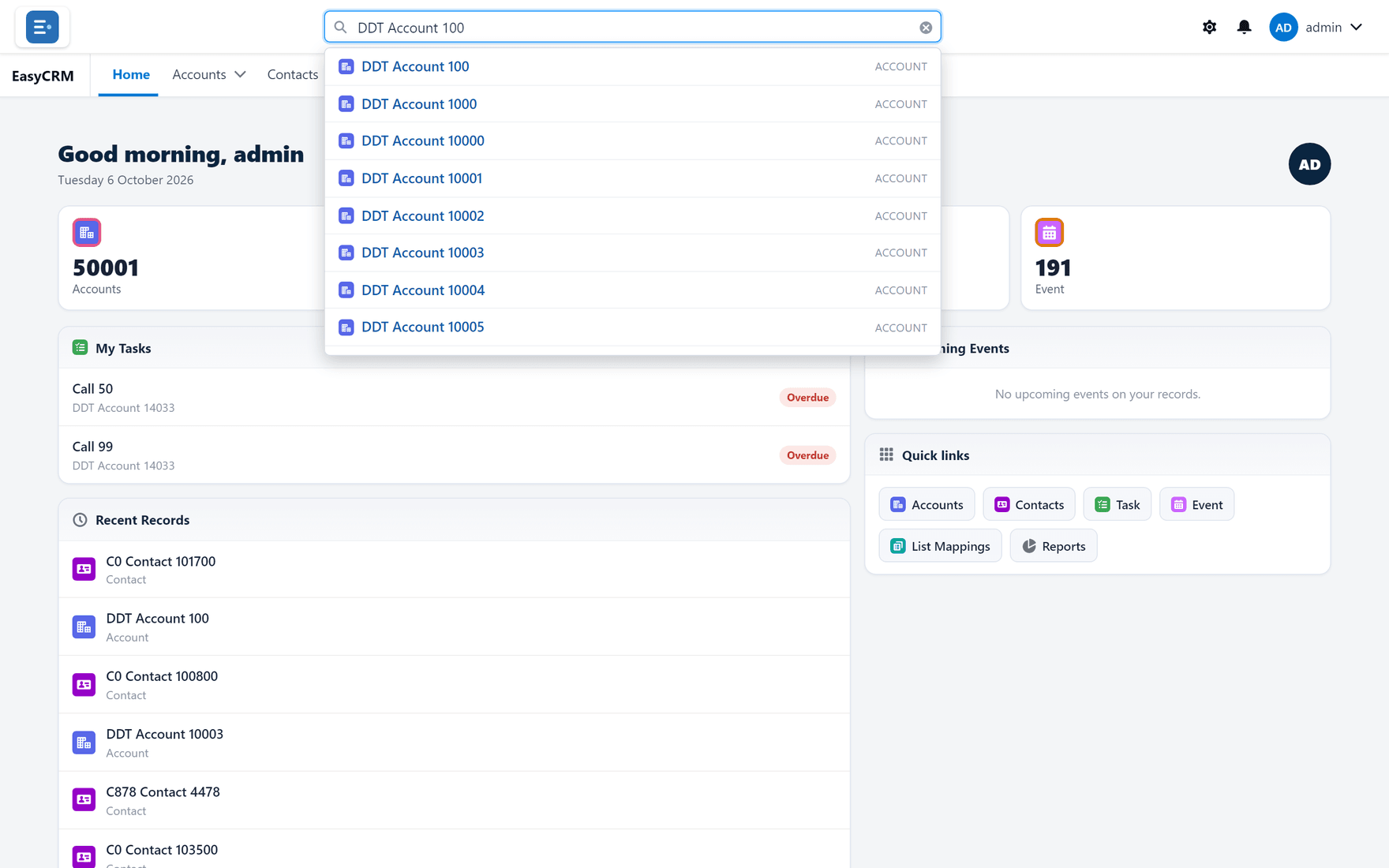
-
Click a result to open it.
Use this when you know the name but not which tab it is under — or when you are not sure whether "Acme" is an account or a contact.
Search this list — when you are already there
Where: a tab → Search this list...
-
Open a tab and its list.
-
Click Search this list... above the table on the right.
-
Type part of a name. The table narrows as you type.
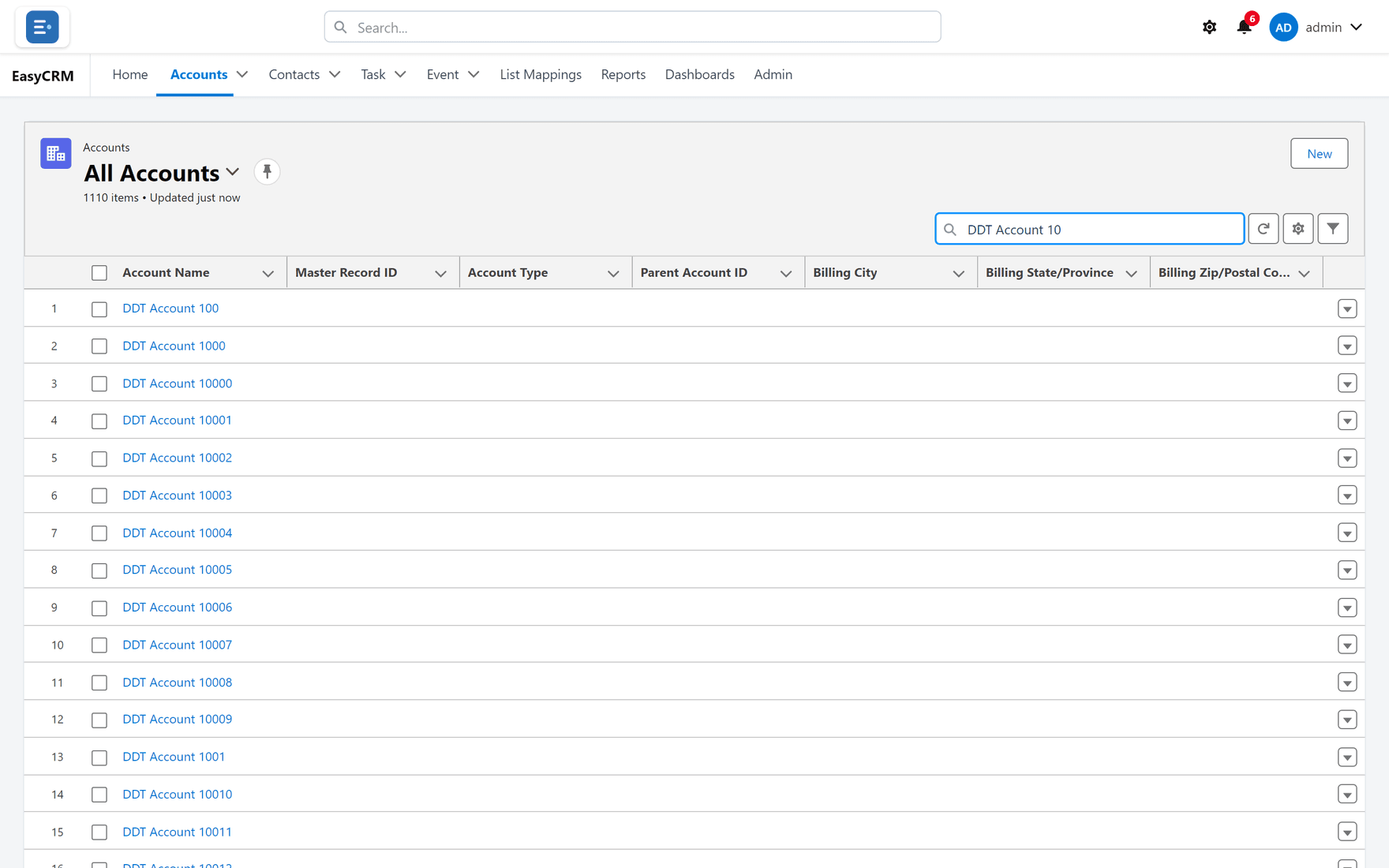
This only looks at the records in the current view. If you search "Acme" in a view filtered to one region, you will not find Acme in another region — the view excluded it before the search ran.
Which to use
| You want | Use |
|---|---|
| One record, name known | Global search |
| Not sure which tab it is on | Global search |
| To narrow a list you are working through | Search this list |
| Everything matching a condition, not a name | Not search — use a filter |
That last row matters. Search finds by name. "Every account in London" is not a search, it is a filter.
What goes wrong
| Symptom | Cause |
|---|---|
| No results for something you know exists | Searching a list that excludes it. Try global search. |
| Nothing found at all | Sharing — you may not have access to that record. |
| Too many results | Add more of the name, or filter the list instead. |
| A record you expected is missing | Search covers what you are allowed to see, nothing more. |
Where this fits
Search finds one record. Filtering finds a set. Reports answer questions about a set. Those three cover almost everything people try to use search for.