Opening a record
What it is. The page for one single record, with everything known about it.
What it does. It shows the record's fields, plus the calls, tasks, files and linked records that belong to it.
Why it helps. Everything about one customer sits in one place, so you are not piecing it together from email and memory.
Getting to a record
Where: Accounts (or any tab) → click the record's name
- Click the tab for the kind of record you want — Accounts, for example.
- The list opens. If it is empty, switch to the All ... list — see Looking at a list.
- Find the record you want. Use Search this list... if there are many.
- Click the record's name in the first column. It is blue, which means it is a link.
The record opens.
A faster way: if you know the name, type it into Search... in the top bar and click the result. That skips the list entirely.
What you are looking at
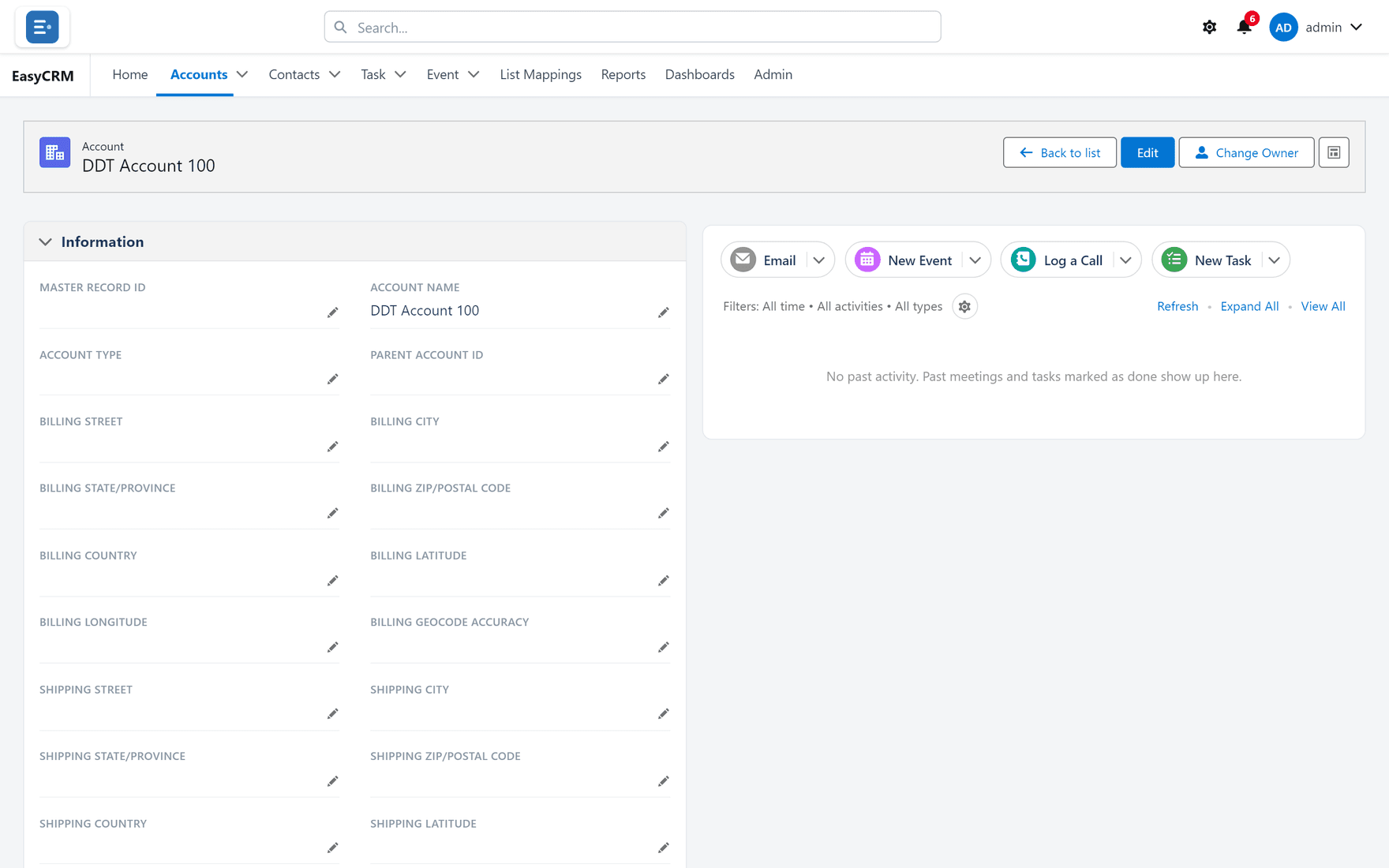
Across the top of the record:
| What you see | What it does |
|---|---|
| The kind of record, and its name | Tells you where you are. |
| Back to list | Returns to the list you came from. |
| Edit | Lets you change the fields — see Changing a record. |
| Change Owner | Moves the record to somebody else. |
Below that the page is in two halves.
On the left: Information. All the fields on this record, in sections. Each section has a small arrow by its heading — click it to fold the section away.
On the right: the activity panel. Calls, tasks, meetings and emails attached to this record. See Calls, tasks and meetings.
At the bottom: related records. Other records linked to this one — the contacts at this account, for example. See Related records.
Blue text is clickable
Anywhere on the record, blue text does something:
| Blue text | What clicking it does |
|---|---|
| Another record's name | Opens that record. |
| An email address | Starts an email to it. |
| A phone number | Starts a call, on a device that can make them. |
| A web address | Opens it in a new tab. |
Going back
Click Back to list at the top right, or your browser's back button. Both work.
Scrolling through everything
A record can be long. Here is a whole one:
If a field you expect is missing, it is either empty, or your administrator has left it off this layout. See Page layouts.