Logging a call
What it is
A record of a conversation that has already happened, stored against the account or contact it concerned.
When to use it
Straight after the call, while you still remember it. The value of a logged call is almost entirely in the detail, and detail decays within the hour.
When not to: for something still to do. That is a task. The difference is tense — a call is past, a task is future.
Logging one
Where: Accounts → the record's name → Log a Call
-
Click the tab and open the record.
-
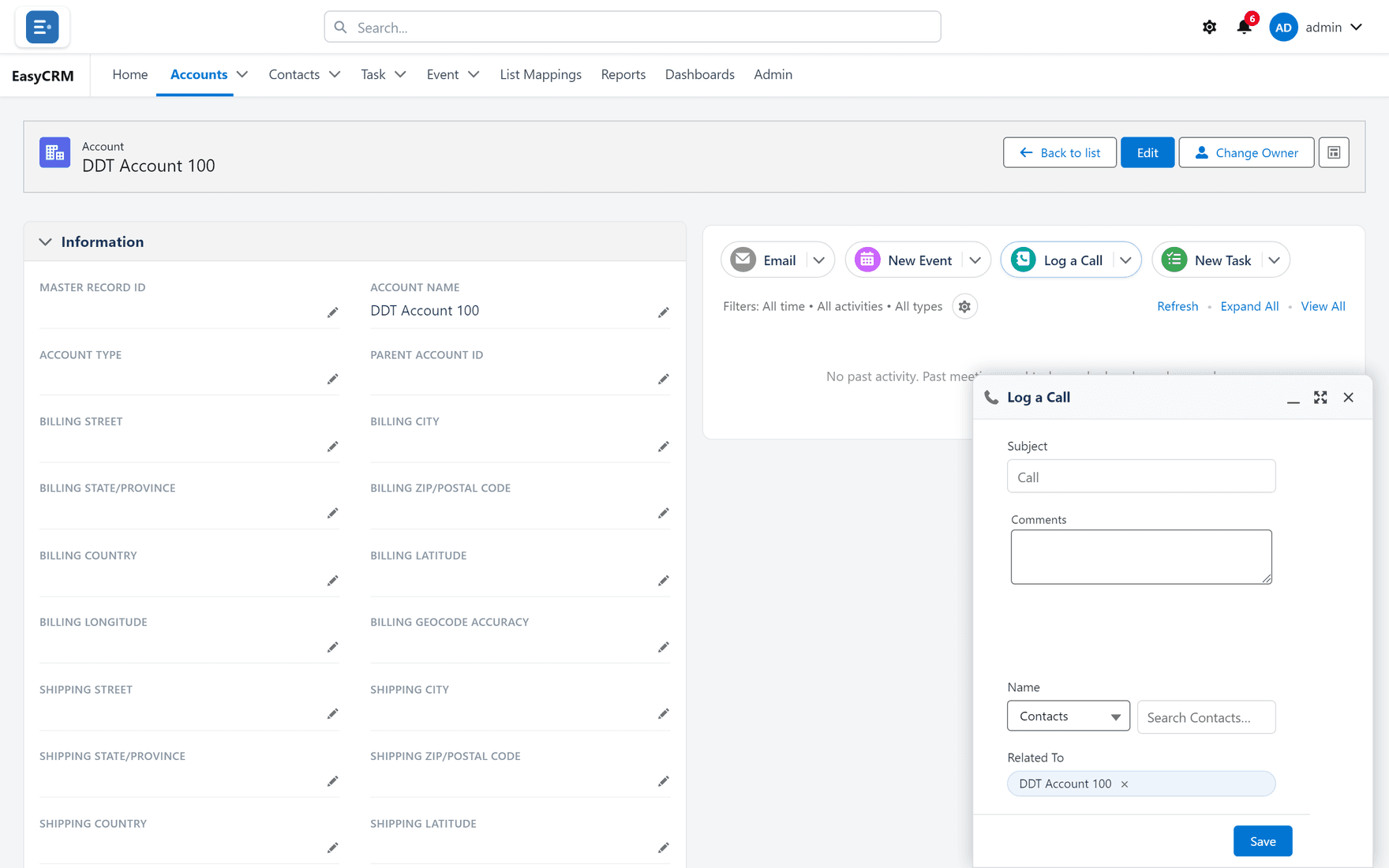
In the panel on the right, click Log a Call.
-
A short form opens.
-
Type a Subject — what the call was about.
-
Add detail in the comments box.
-
Click Save.
It appears in the timeline below, dated today.
Writing a subject somebody else can use
The subject is what appears in the timeline. It is read by people scanning months of history, so it should survive being read alone.
| Good | Poor |
|---|---|
| Agreed renewal terms, sending quote Friday | Call |
| Not ready — revisit after their Q3 | Spoke to them |
| Complained about response times | Follow up |
The test: if you read only the subject in six months, would you know what happened?
Where to log it
Against the most specific record that applies.
| Call about | Log it on |
|---|---|
| One person's situation | Their contact record |
| The company's contract | The account |
| A specific task | The task |
Logging against the account when you spoke to one of five contacts loses who you spoke to.
What goes wrong
| Symptom | Cause |
|---|---|
| The call is not in the timeline | Timeline filters may exclude it. Check the Filters line. |
| It is on the wrong record | Open it, and change the related record. |
| You cannot edit it later | You may only change your own entries, depending on permissions. |
Where this fits
Calls, tasks, events and emails share one timeline on every record.