Events
What an event is
Something in the diary: a meeting or call with a start and an end time, attached to the record it concerns.
Event or task?
They are easy to confuse and the difference is simple.
| Has | Appears under | |
|---|---|---|
| Task | A due date | My Tasks |
| Event | A start and an end time | Upcoming Events |
A task is something to do by a date. An event occupies a slot in the day. "Send the quote by Friday" is a task; "Review call, Thursday 2pm" is an event.
Creating one
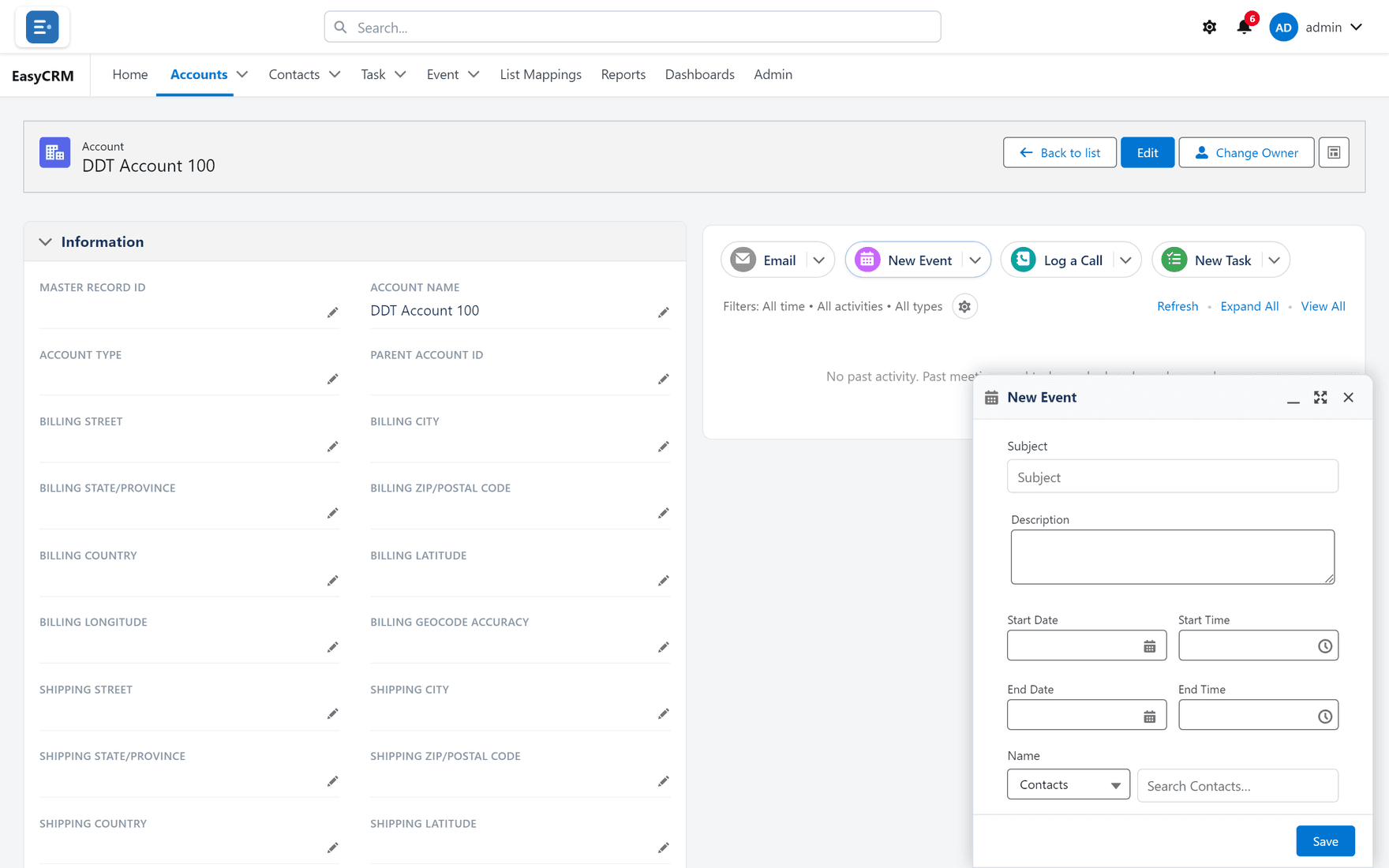
Where: Accounts → the record's name → New Event
-
Click the tab and open the record.
-
Click New Event in the panel on the right.
-
Fill in:
| Field | Notes |
|---|---|
| Subject | What the meeting is about |
| Start | Date and time it begins |
| End | Date and time it finishes |
| Description | Agenda, dial-in, anything the attendee needs |
- Click Save.
It appears under Upcoming Events on the home page of everybody it concerns, and in the record's timeline.
Why attach it to a record
An event created on the account carries its context. Whoever opens that customer next sees the meeting happened, when, and what it was about — without asking anybody.
An event in your own calendar and nowhere else is invisible to your colleagues.
After the meeting
The event stays in the record's history as evidence it happened. If the conversation produced anything worth keeping, log a call or create a task for the follow-up.
The event records that you met. The call log records what was said.
Seeing your events
| Where | Shows |
|---|---|
| Upcoming Events on the home page | Future events on records you work with |
| The Event tab | Every event you can see — see Lists |
| A record's timeline | Events on that record only |
Past events drop off Upcoming Events but remain in the timeline and the Event tab.
What goes wrong
| Symptom | Cause |
|---|---|
| Not under Upcoming Events | It is in the past, or on a record you do not work with. |
| The time is wrong | Check the time zone on your account. |
| It will not save | End is before Start. |
| A colleague cannot see it | They may not have access to the record it is on. |
Where this fits
Events sit in the same timeline as calls, tasks and emails. The Event tab lists them like any other record — filter and sort it the same way.