Page layouts
Two layouts matter: what a caller sees on a Contact, and what they see on a Task.
The Contact layout
Where: Setup → Object Manager → Contact → Page Layouts
It is arranged so the things a caller needs mid-call are at the top and the research sits below.
About
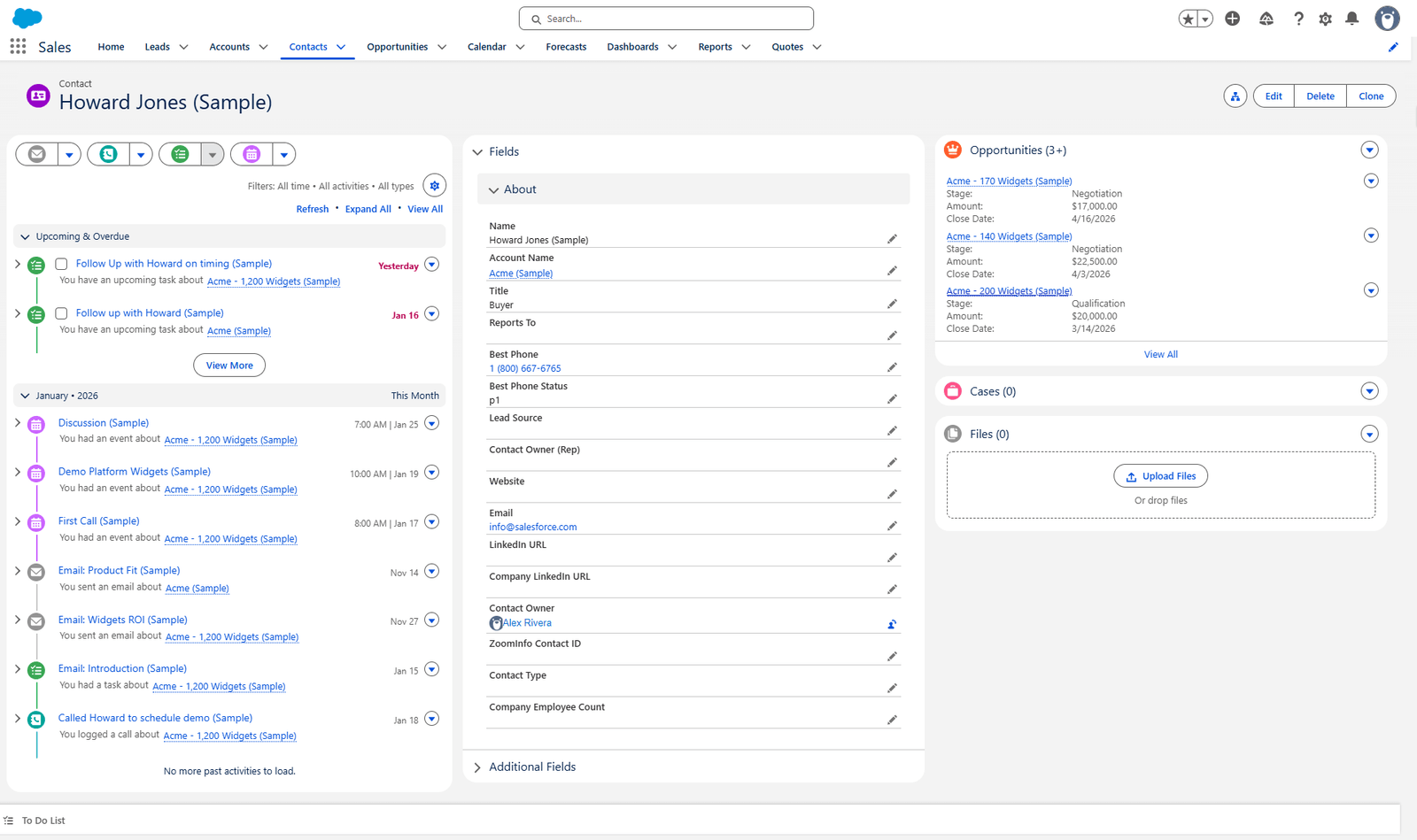
| Field | Why it is this high |
|---|---|
| Name, Account Name, Title | Who am I speaking to, and where |
| Reports To | Who they answer to |
| Best Phone / Best Phone Status | The number to try, and how good it is |
| Lead Source, Contact Owner (Rep) | Where they came from, whose they are |
| Website, Email, LinkedIn URL, Company LinkedIn URL | Opening the research in one click |
Best Phone and Best Phone Status sit directly under Title, before anything else. That is the whole point of the flow — the caller should not have to compare seven numbers.
Additional Fields, and the Buckets section
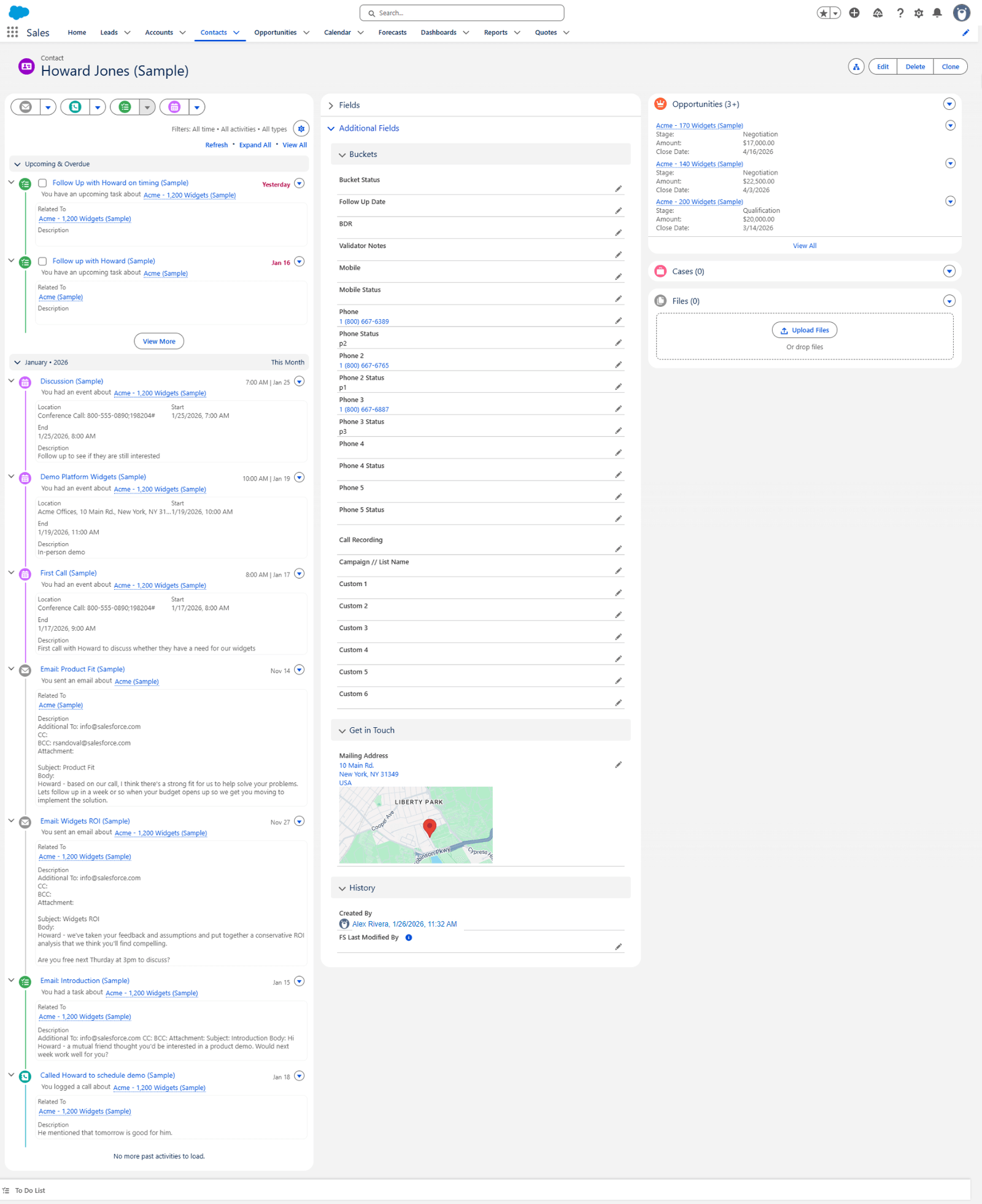
Collapsed by default, holding everything that is not needed at the moment of dialling:
| Section | Holds |
|---|---|
| Buckets | Bucket Status, Follow Up Date, BDR, Validator Notes |
| Mobile and Mobile Status | |
| Phone and Phone Status, Phone 2–5 and their statuses | |
| Call Recording, Campaign // List Name | |
| Custom 1–6 | |
| Get in Touch | Mailing Address, with a map |
| History | Created By, FS Last Modified By |
All seven numbers and their statuses live here, not on the main panel, because the caller is meant to read Best Phone instead.
The left and right columns
| Column | Holds |
|---|---|
| Left | The activity timeline — every call, email, task and event, newest first |
| Right | Opportunities, Cases and Files |
The timeline on the left is what makes the record readable: it is the record of what has already been tried.
The Task layout
Where: Setup → Object Manager → Task → Page Layouts
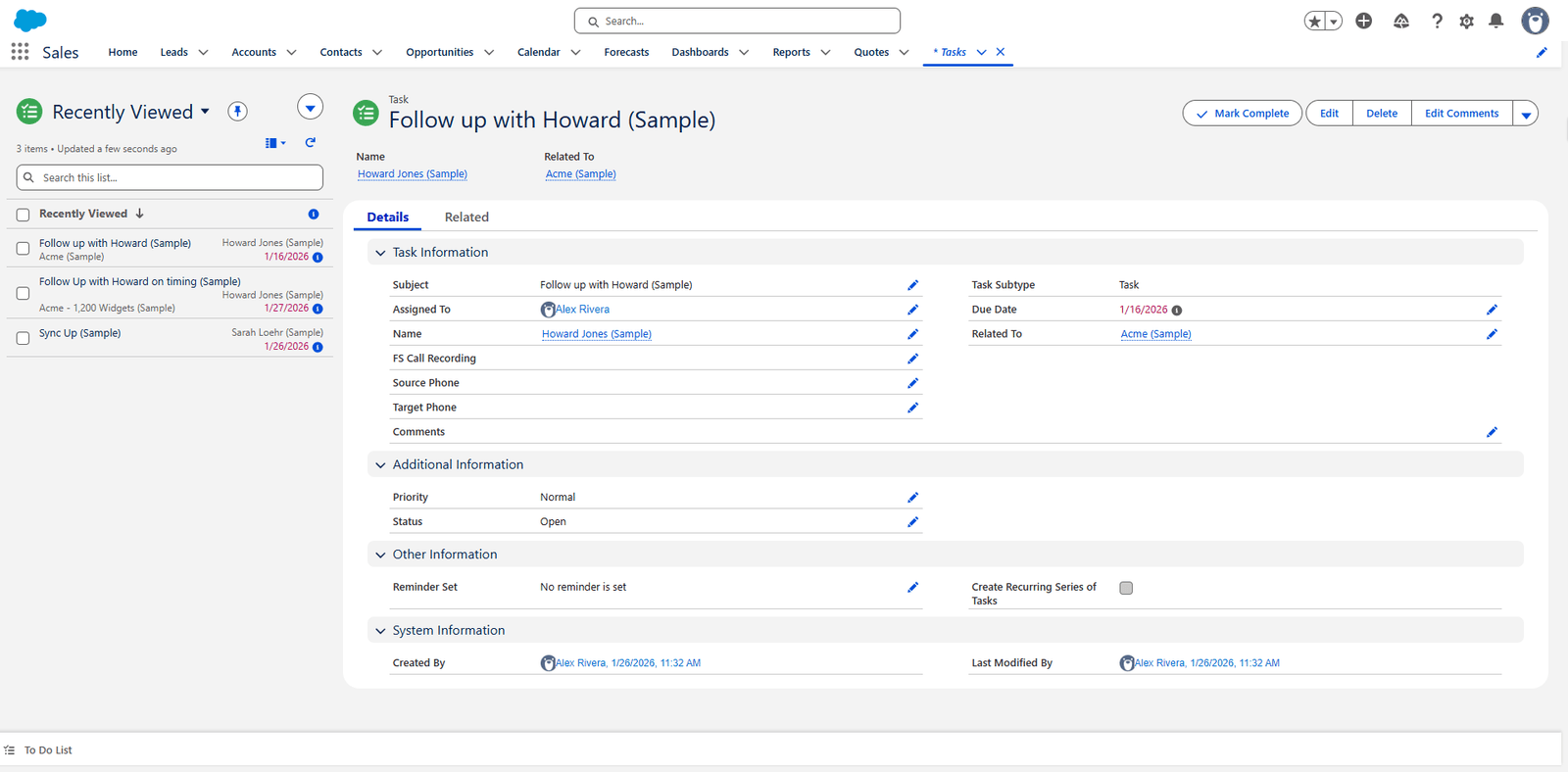
| Section | Fields |
|---|---|
| Task Information | Subject, Assigned To, Name, Task Subtype, Due Date, Related To |
| FS Call Recording, Source Phone, Target Phone, Comments | |
| Additional Information | Priority, Status |
| Other Information | Reminder Set, Create Recurring Series of Tasks |
| System Information | Created By, Last Modified By |
Source Phone and Target Phone are the custom part: they record which number was dialled from and to. Without them a call is just an activity; with them you can tell which of the seven numbers actually worked.
FS Call Recording links to the recording in FrontSpin.
What is deliberately not on these layouts
The enrichment-vendor fields — the various supplier phone numbers and their statuses — are not shown. They feed the Best Phone calculation and are not something a caller should read directly.
Where this fits
The fields themselves are in Custom fields. What fills Best Phone is the flow.