Calling Dashboard
The funnel, rep by rep. Five stages, each shown three ways: a count, a conversion percentage, and a trend.
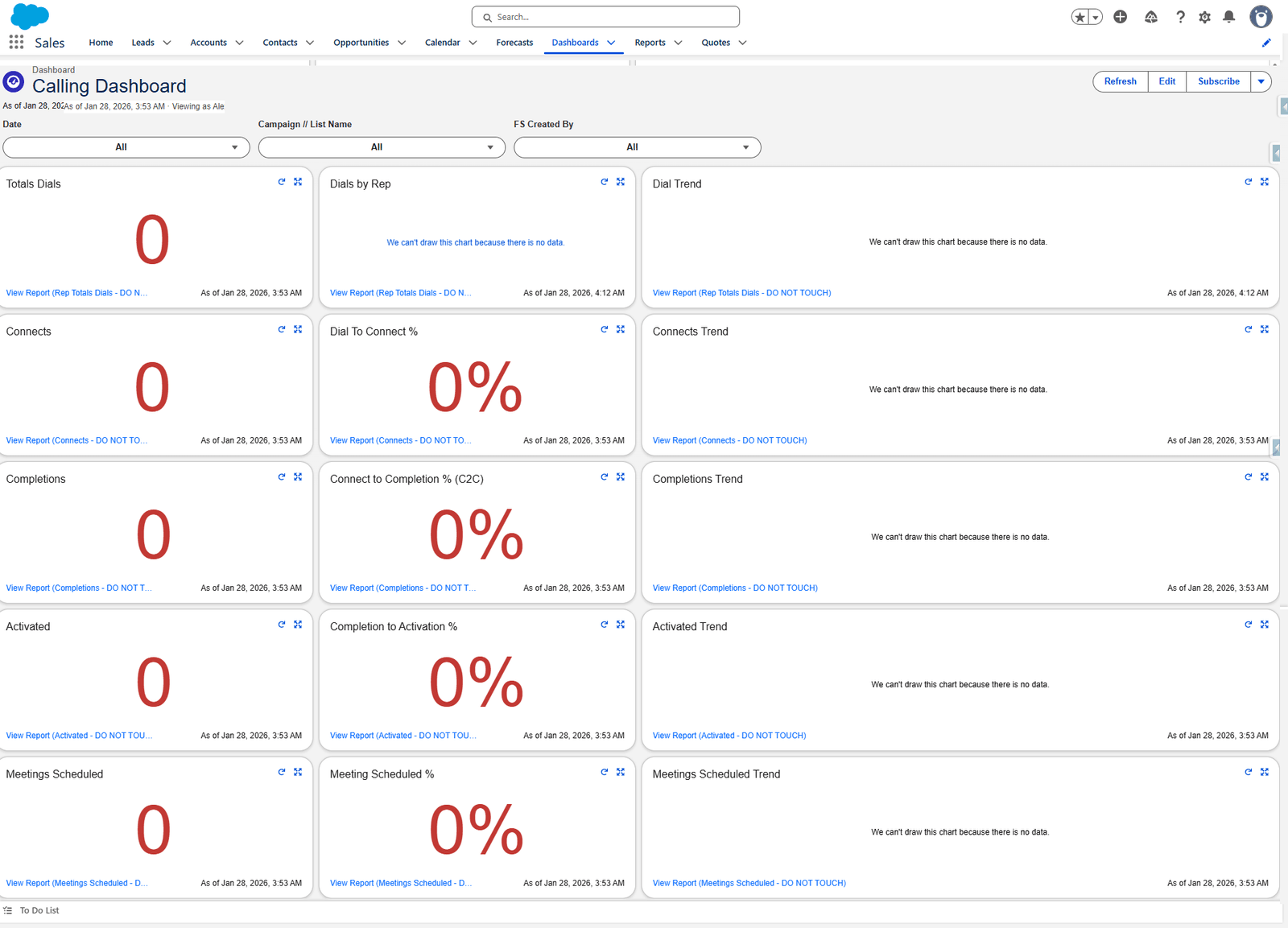
Filters
| Filter | From |
|---|---|
| Date | Activity |
| Campaign // List Name | Contact |
| FS Created By | Activity |
The grid
Five rows, three columns. Reading across a row gives you the stage; reading down the first column gives you the funnel.
| Stage | Count | Conversion | Trend |
|---|---|---|---|
| Dials | Totals Dials | Dials by Rep (table) | Dial Trend |
| Connects | Connects | Dial To Connect % | Connects Trend |
| Completions | Completions | Connect to Completion % (C2C) | Completions Trend |
| Activated | Activated | Completion to Activation % | Activated Trend |
| Meetings | Meetings Scheduled | Meeting Scheduled % | Meetings Scheduled Trend |
Tile by tile
| Tile | Report | Shown as | Measure | Ranges |
|---|---|---|---|---|
| Totals Dials | Rep Totals Dials | Metric | Sum of Rep Attempts | 33 / 67 |
| Dials by Rep | Rep Totals Dials | Table, grouped by FS Created By | Record Count | — |
| Dial Trend | Rep Totals Dials | Line — Date × Sum of Rep Attempts | — | |
| Connects | Connects | Metric | Sum of Connects Counter | 10 / 40 |
| Dial To Connect % | Connects | Metric | D2C% | 15 / 20 |
| Connects Trend | Connects | Line — Date × Sum of Connects Counter | — | |
| Completions | Completions | Metric | Sum of Correct Completes | 10 / 35 |
| Connect to Completion % (C2C) | Completions | Metric | Correct Complete % | 50 / 60 |
| Completions Trend | Completions | Line — Date × Sum of Correct Completes | — | |
| Activated | Activated | Metric | Sum of Activated Connects | 5 / 18 |
| Completion to Activation % | Activated | Metric | Activated Connects % | 15 / 20 |
| Activated Trend | Activated | Line — Date × Sum of Activated Connects | — | |
| Meetings Scheduled | Meetings Scheduled | Metric | Sum of Meeting Scheduled Connects | 2 / 4 |
| Meeting Scheduled % | Meetings Scheduled | Metric | Meeting Scheduled Connect % | 5 / 10 |
| Meetings Scheduled Trend | Meetings Scheduled | Line — Date × Sum of Meeting Scheduled Connects | — |
Every report above is in the calculation reports; every measure is in Formula columns.
Reading it
Read down the first column, not across. Dials → Connects → Completions → Activated → Meetings is a funnel, and the interesting number is wherever it narrows most sharply.
Each percentage is a conversion between two adjacent stages, not a share of the total. Dial to Connect % is connects ÷ dials; Connect to Completion % is completions ÷ connects.
The trends share the same Date grouping, so the five line charts can be compared directly.
Four settings worth knowing
| Setting | Value | Why |
|---|---|---|
| Display Units | Full Number on metrics, Shortened Number on trends | A trend axis does not need every digit |
| Decimal Places | Automatic | |
| Max Groups Displayed | 100 | A trend or table silently stops at this many groups |
| Widget Theme | Light |
What goes wrong
| Symptom | Cause |
|---|---|
| Every tile reads zero | The date filter. These reports have no date of their own — the dashboard supplies it. |
| Dials far lower than expected | Check Rep Totals Dials for a stray filter — see the warning. |
| A percentage above 100% | The numerator and denominator are from different populations. Check the report's filter. |
| A tile stopped matching its report | Somebody edited a DO NOT TOUCH report. |
Where this fits
The richer version is Calling Dashboard V2.