Step 2 — The configuration row
What you are doing
Joining the Record Type from step 1 to a FrontSpin tenant. This is the row that makes a record sync anywhere at all.
Where
Setup → search Custom Metadata Types → FrontSpin Configuration Settings → Manage Records
- In Setup, type
custom metainto the quick-find box on the left. - Click Custom Metadata Types.
- Find FrontSpin Configuration Settings and click Manage Records.
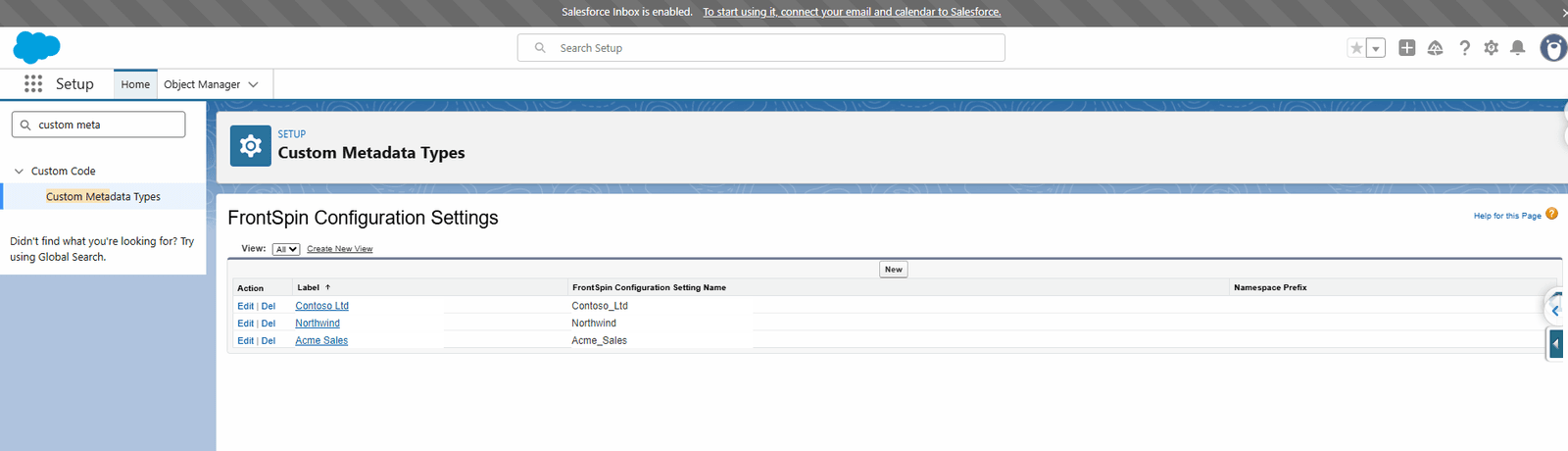
One row per customer. Click New to add one, or a Label to open it.
What a row holds
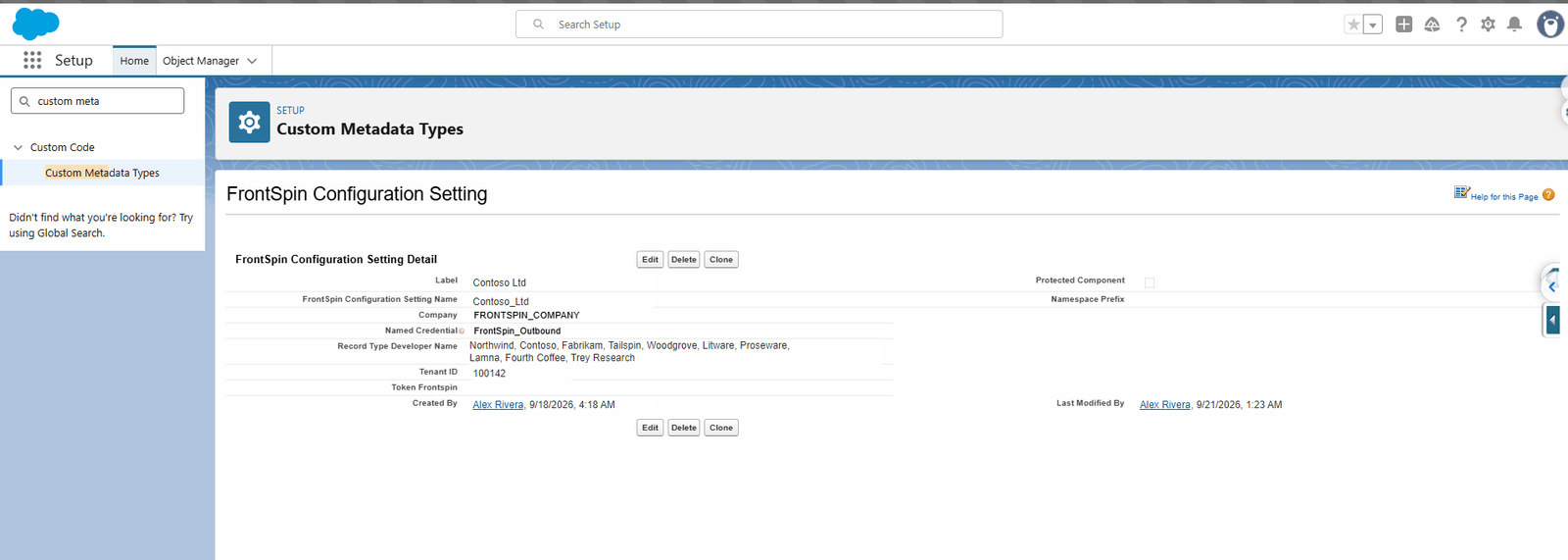
| Field | What to put | Notes |
|---|---|---|
| Label | The customer's name | What you will see in lists |
| FrontSpin Configuration Setting Name | Fills itself in | The developer name, used by list mappings |
| Company | The company name as FrontSpin knows it | |
| Named Credential | The credential holding the API key | See below |
| Record Type Developer Name | The developer names from step 1, comma-separated | One row can cover many |
| Tenant ID | The number FrontSpin gave you | e.g. 100142 |
| Token Frontspin | Usually left blank | Only used where no Named Credential exists |
Record Type Developer Name takes a list
This is the field people most often under-use. It accepts several developer names separated by commas, so one customer with ten Record Types needs one row, not ten.
Type them exactly as the Record Type Name appears — no spaces around the commas is safest.
About the Named Credential
A Named Credential is where Salesforce keeps the API key. The integration never reads the key, never holds it and never writes it to a log — it asks the platform to attach it.
That is why the Token Frontspin field is normally blank. Putting a key there means it lives in configuration you can read, which is worse. Use a Named Credential unless somebody has told you otherwise.
Setting up the Named Credential itself is standard Salesforce work: Setup → Named Credentials → New, pointing at FrontSpin's API base address with the key as the authentication.
Saving and checking
Click Save. The row takes effect immediately — there is no deploy and no cache to clear.
Then run the health check, which will tell you whether the row resolves.
What goes wrong
| Symptom | Cause |
|---|---|
| Nothing syncs for this customer | The Record Type developer name does not match exactly. Check spelling and capitals. |
| "The named configuration is missing or incomplete" | A blank Tenant ID or Named Credential. |
| Records reach the wrong FrontSpin | Two rows claim the same Record Type. See the eight outcomes. |
| Still nothing, and no errors | No rows exist at all — the integration treats that as "not switched on" and stays quiet on purpose. |
That last row is worth remembering. With zero configuration rows the integration does not log a failure per record, because that would put hundreds of pointless rows in the log for one bulk load. It simply does nothing. Once at least one row exists, unroutable records are logged.
Where this fits
Next: permissions, without which the scheduled jobs cannot write anything.