A company's tenant
What it is
A field on a portal company recording which FrontSpin account that company uses.
Why it is needed
The portal groups people and records by company. FrontSpin groups them by tenant. This field joins the two, so List Mappings knows which tenant it is editing when you pick a company.
Setting it
Where: Admin → Companies → the pencil on a company → Branding
- Click Admin in the top menu.
- Click Companies.
- Click the pencil on the company's row.
- On the Branding tab, fill in FrontSpin tenant.
- Click Save.
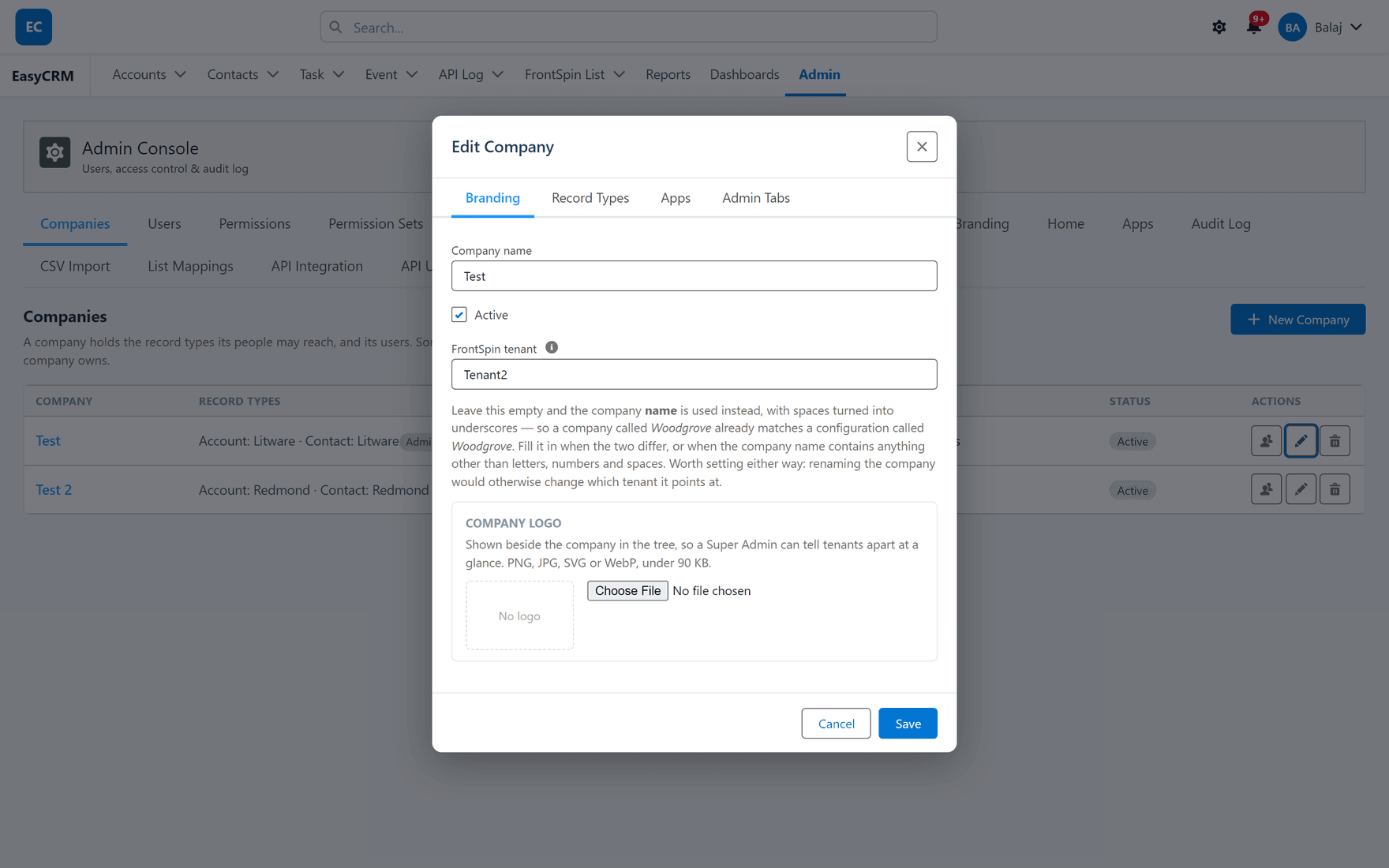
Leaving it blank does not switch it off
This is the part worth reading twice.
Blank does not mean "no tenant". It means the company name is used instead, with spaces
turned into underscores. A company called Acme Sales already matches a configuration called
Acme_Sales without anybody filling anything in.
So a blank field is a working default, not a gap — as long as the two names line up.
When you must fill it in
| Situation | Why |
|---|---|
| The names differ | The fallback matches on the company name, and it will not find the configuration |
| The company name has punctuation | The fallback only handles letters, numbers and spaces |
And it is worth setting even when the fallback works, for one reason: renaming the company would otherwise silently change which tenant it points at. An explicit value survives a rename; the fallback does not.
That is a quiet failure — somebody tidies up a company name, and a customer's mappings stop resolving with nothing to show why.
What to put in it
The configuration's name — the same value as the FrontSpin Configuration Setting Name on the configuration row, and the Instance Name on the webhook configuration.
Get it from whoever set the tenant up, or read it off the configuration row in Setup. Guessing produces a value that looks right and matches nothing.
One company, one tenant
The field holds a single tenant. A company working two FrontSpin accounts needs two portal companies — which is usually the right model anyway, since their users, records and sharing are almost always meant to be separate too.
What goes wrong
| Symptom | Cause |
|---|---|
| List Mappings shows no mappings | The resolved tenant does not match any configuration. Check spelling. |
| Mappings disappeared after a rename | The field was blank, so the company name was the tenant. Set it explicitly. |
| Mappings appear under the wrong customer | The tenant value names another customer's configuration. |
| The field is not on the form | It is part of the FrontSpin integration. Not installed, not present. |
Where this fits
Companies in general are covered in Companies. What the tenant value means is Tenants and Record Types.