Who sees what, by default
What it is. The starting rule for each kind of record: who can see it before any other rule applies.
What it does. It sets the floor. Everything else only ever raises access from here.
Why it matters. This is the most important setting in the portal. Get it wrong and either nobody can do their job, or everybody sees everybody else's customers.
Opening it
Where: Admin → Sharing → Org-Wide Defaults
- Click Admin in the top menu.
- Click Sharing in the row of tabs.
- Click Org-Wide Defaults.
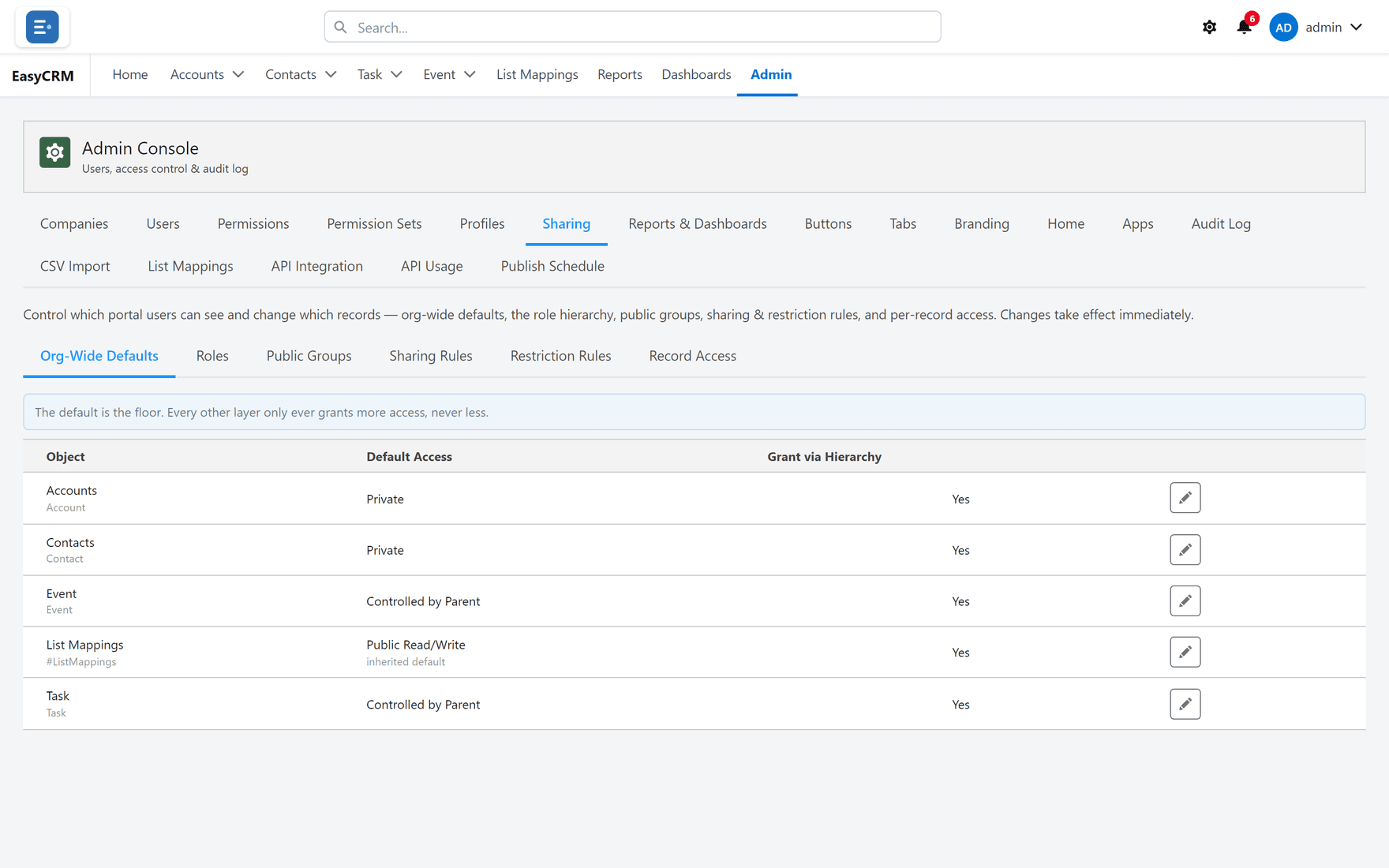
Each kind of record has its own setting, so accounts and tasks can be different.
Setting one
- Find the kind of record in the list.
- Click Edit beside it.
- Choose the default access.
- Click Save.
| Setting | What it means |
|---|---|
| Private | You see only records you own. |
| Public Read Only | Everybody sees them. Only the owner can change them. |
| Public Read/Write | Everybody sees and changes them. |
How to choose
Start with Private and open it up. It is much easier to grant access to the people who need it than to work out, months later, who should never have had it.
Use Public Read Only for reference data everybody needs and nobody should edit.
Use Public Read/Write only where a team genuinely shares ownership of everything, which is rarer than people expect.
Grant via Hierarchy
Beside each setting is Grant via Hierarchy.
With it on, a manager automatically sees whatever the people they manage can see. Set who manages whom under Roles.
Leave it on unless you have a specific reason not to. Without it you have to build a sharing rule for every manager, and keep adding to it as the team changes.
Changing it later
You can, and the change takes effect immediately.
Tightening a default — Public to Private — can make records disappear for people who could see them a minute ago. Tell people before you do it, and check with Record Access first.