Sharing
What it is. Which records each person can see.
How it differs from permissions. Permissions say what somebody may do — read, create, edit, delete. Sharing says which records they may do it to.
Why it matters most. Get this wrong and either nobody can do their job, or everybody sees everybody else's customers.
Opening it
Where: Admin → Sharing
- Click Admin in the top menu.
- Click Sharing in the row of tabs.
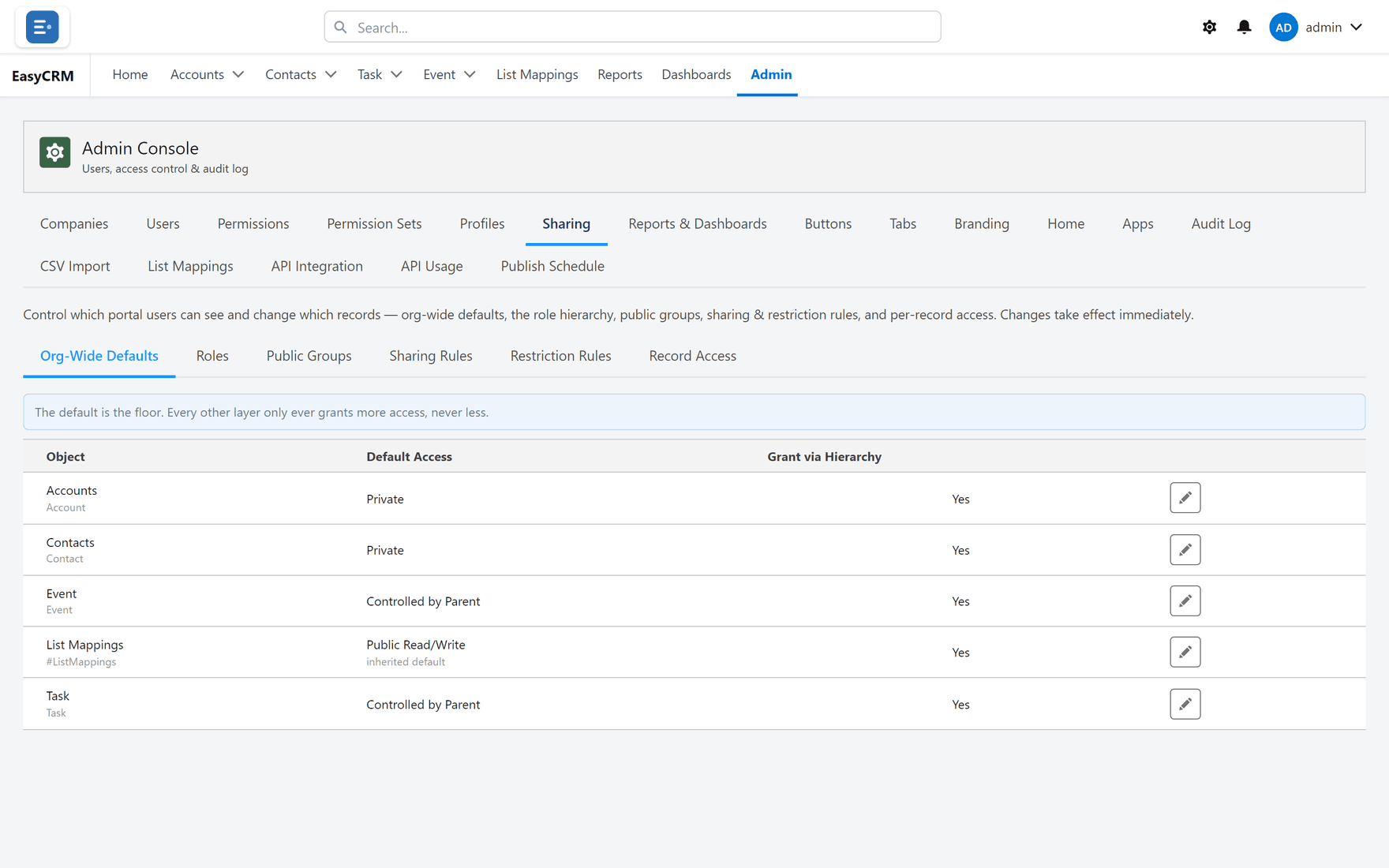
Inside Sharing there are several areas, each with its own page here:
| Area | What it is for |
|---|---|
| Org-Wide Defaults | The starting rule for each kind of record. |
| Sharing Rules | Standing rules that open access up. |
| Public Groups | Named lists of people, used by rules. |
| Roles | Who reports to whom. |
| Restriction Rules | The only thing that takes access away. |
| Record Access | Check who can see one record, and why. |
How the pieces fit together
Think of it as a floor, then things that raise it.
- The default sets the floor for everybody.
- Sharing rules, groups and the role hierarchy raise it for particular people.
- Restriction rules are the only thing that lowers it again.
Everything except restriction rules can only ever add access. Nothing you do in a sharing rule will hide a record somebody can already see.
The order to set it up
- Start with Org-Wide Defaults set to Private.
- Turn on Grant via Hierarchy so managers see their team's records.
- Add sharing rules for teams that need each other's records.
- Only then consider restriction rules.
Starting Private and opening up is far easier than starting open and working out later who should never have seen what.
When somebody says they cannot see a record
Use Record Access. It lists everybody who can see a given record and why, which turns a guess into an answer in about ten seconds.