Sections
What a section is
A heading with fields grouped under it. Readers can fold a section away, so sections are how a long record page stays readable.
When to add one
When a layout passes about a dozen fields. Below that, grouping adds ceremony without helping; above it, an ungrouped wall of fields is genuinely hard to read.
Adding one
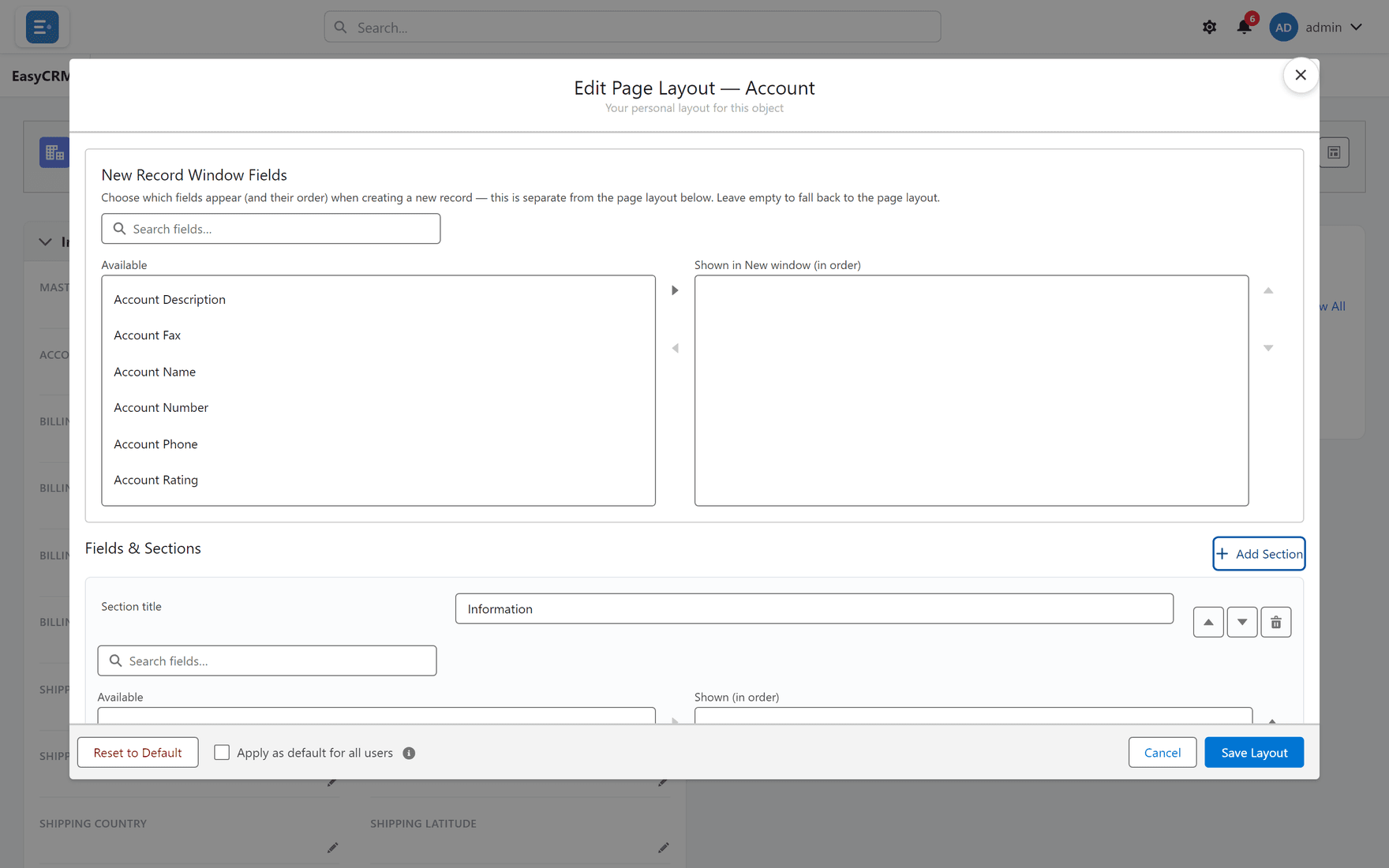
Where: the layout editor → Add Section
-
Open the layout editor from any record.
-
Click Add Section.
-
Give it a name.
-
Move fields into it.
Use Move section up / down to reorder, and Remove section to delete one.
Removing a section does not delete its fields or any data.
Naming sections
Name them for what the reader is looking for, not for where the data came from.
| Good | Poor |
|---|---|
| Billing | Address Information 2 |
| Contract | Custom Fields |
| System information | Misc |
A section order that works
- Information — identity and the fields people act on
- Billing / Contract / whatever your business needs
- System information — created, modified, ids. Last, and usually collapsed
Putting system fields first is the most common layout mistake. Nobody opens a customer record to find out when it was created.
What goes wrong
| Symptom | Cause |
|---|---|
| A section is empty on some records | Its fields are empty for those records. |
| Sections are not in the order you set | Save Layout was not clicked. |
| A section cannot be removed | Some built-in sections are fixed. |
Where this fits
Sections organise the fields you chose. Related lists sit below them.