API Usage
What it is. How much each API key is being used, and what it asked for.
What it does. It counts requests over a period, broken down by company and by user.
Why it helps. It answers three questions quickly: is the key working, which system is busiest, and is anything being used far more than expected.
Opening it
Where: Admin → API Usage
- Click Admin in the top menu.
- Click API Usage in the row of tabs.
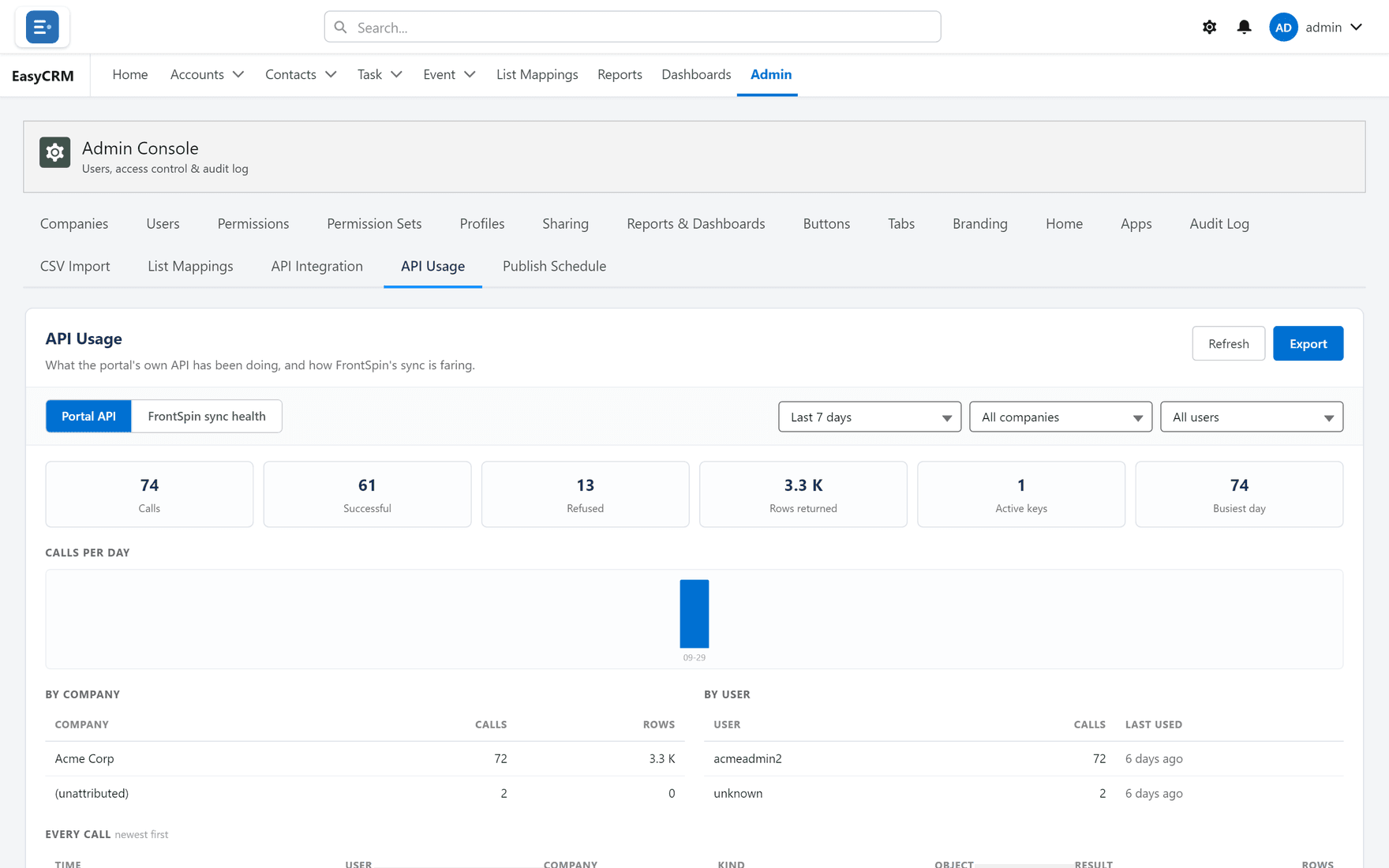
Choosing what to look at
Across the top:
| Control | What it does |
|---|---|
| Last 7 days | The period. Change it to look further back. |
| All companies | Narrow to one company. |
| All users | Narrow to one person's key. |
| Previous / Next | Move through the periods. |
| Refresh | Fetch the latest figures. |
The two halves — Portal API and FrontSpin sync health — are separate: one is your own API keys, the other is a specific integration's health.
FrontSpin sync health belongs to the FrontSpin integration, which is not part of EasyCRM. It is documented in Sync health. In an org without that integration the view is empty, which is expected rather than a fault.
Taking the figures away
Click Export to download them as a spreadsheet, for a report or a conversation about costs.
Reading it
| What you see | What it usually means |
|---|---|
| Zero requests from a key you expect to be busy | The other system is not calling, or is failing before it reaches you. |
| A sudden rise | A change at the other end — often a loop. |
| Steady, predictable volume | Working normally. |
A key with no traffic at all for a long time is usually one nobody needs any more. Consider revoking it under API Integration.