API Integration
What it is. A way to let another system read your portal data automatically.
What it does. You create a key, choose exactly what it may read, and give it to whoever is building the other system.
Why it is safe. Keys can only read. Nothing can be changed or deleted through them, so the worst a leaked key can do is show somebody data — not alter it.
Opening it
Where: Admin → API Integration
- Click Admin in the top menu.
- Click API Integration in the row of tabs.
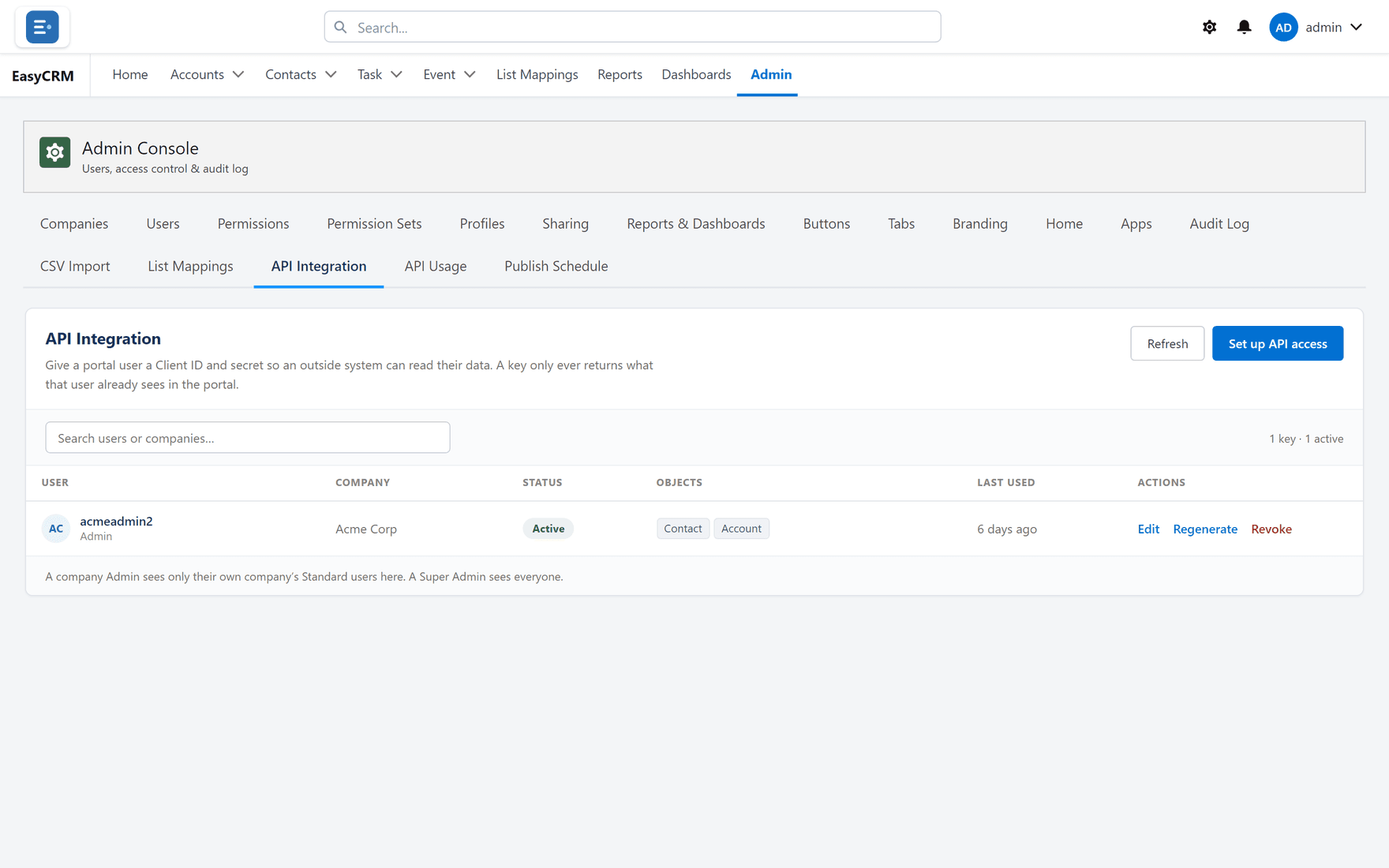
Everybody who currently holds a key is listed.
Creating a key
Where: Admin → API Integration → Set up API access
-
Click Admin, then API Integration.
-
Click Set up API access.
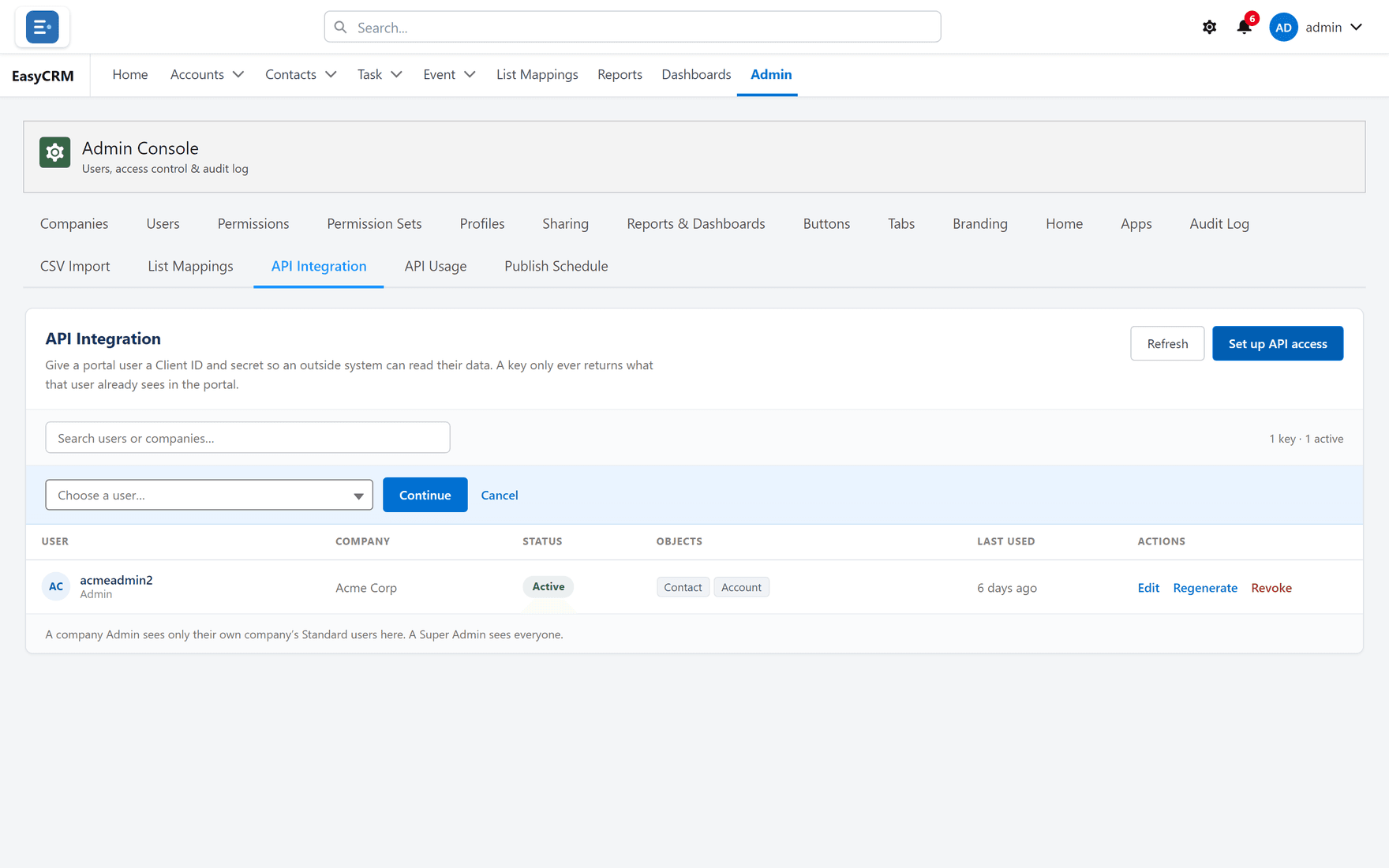
-
Choose the person the key belongs to. The key sees what that person can see, so choose somebody whose access matches what the other system should get.
-
Choose which kinds of record it may read, and which fields.
-
Add filters if it should only see some records.
-
Click Save.
Copy the secret now
When the key is created, the Secret is shown once.
Copy it immediately and give it to whoever needs it, through something secure. If it is lost, you cannot look it up — you have to Regenerate, which produces a new secret and stops the old one working.
Giving a key less, not more
Two habits worth keeping:
- Attach the key to somebody with only the access the other system needs. A key on a Super Admin can read everything.
- Choose fields deliberately. If the other system needs names and emails, do not give it everything else as well.
Managing an existing key
| Button | What it does |
|---|---|
| Edit | Change which records and fields the key may read. |
| Regenerate | Issue a new secret. The old one stops working at once. |
| Revoke | Switch the key off completely. |
Regenerate when a secret may have been seen by the wrong person. Revoke when the other system is being retired.
Either one breaks the other system immediately, so tell whoever runs it first.
Documentation for developers
The technical documentation — endpoints, paging, filters — is on its own site at docs.outboundoperators.com.
Send that link to whoever is building the integration. They do not need portal access to read it.