Permissions
What it is. What one person may do with each kind of record.
What it does. For every kind of record you allow reading, creating, editing, deleting, changing the page layout, and which fields they may edit.
Why it matters. This is only half of access. Sharing decides which records somebody sees. Permissions decide what they may do to the ones they can see. Read permission with no sharing shows an empty list.
Opening it
Where: Admin → Permissions → Select a user
- Click Admin in the top menu.
- Click Permissions in the row of tabs.
- The page shows one box, Portal user, and nothing else.
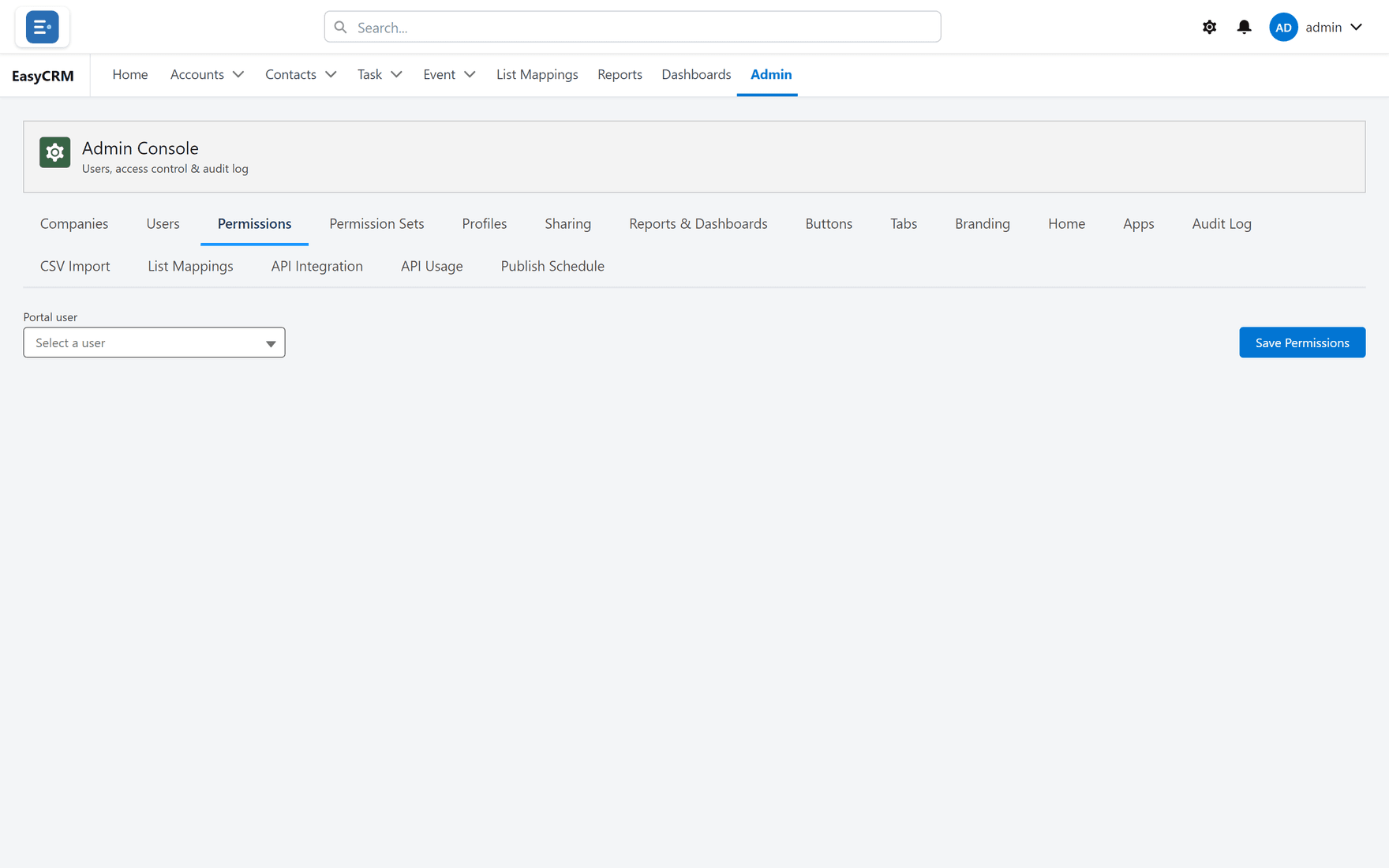
This is set one person at a time, not per role, so the page stays blank until you choose somebody.
- Click Select a user and pick a person.
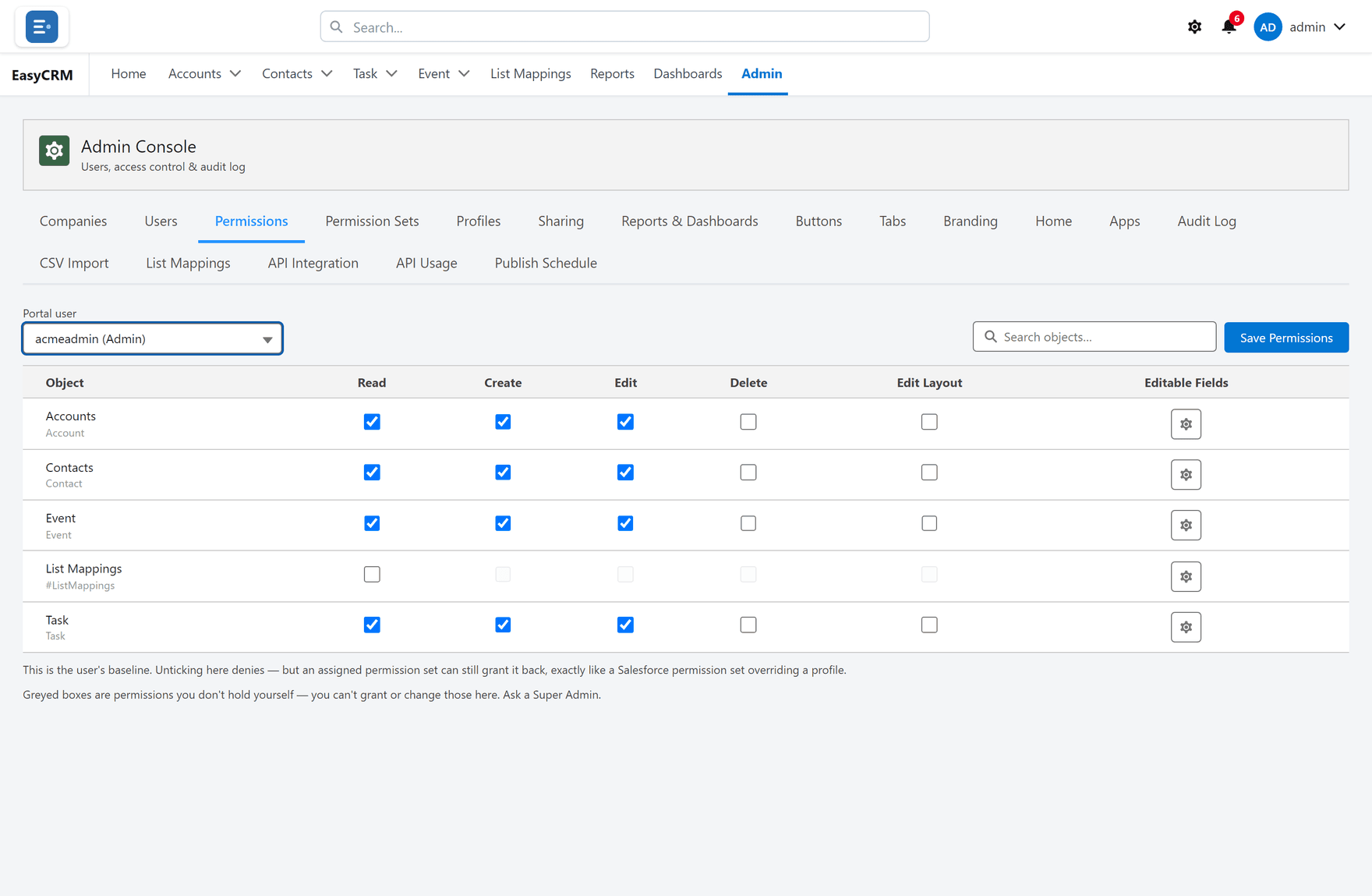
- The table of objects appears.
The six things you can allow
Each row is a kind of record. Each column is something that person may do with it.
| Column | Lets them |
|---|---|
| Read | See the records. |
| Create | Add new ones. |
| Edit | Change existing ones. |
| Delete | Remove them permanently. |
| Edit Layout | Change the page layout for everybody. |
| Editable Fields | A gear opening field-by-field control over what they may change. |
Tick what the person should have, then click Save Permissions at the top right.
If there are many objects, use Search objects... to find one.
Edit Layout is more powerful than it looks
Edit Layout does not change that person's own view. It lets them change the record page for everybody who sees that kind of record.
Give it only to people who should be deciding what the whole company's record pages look like.
Editable Fields
Edit is all-or-nothing for the record. Editable Fields narrows it to particular fields.
- Click the gear in the Editable Fields column.
- Choose which fields that person may change.
Use it when somebody should maintain a few fields without being able to alter the rest.
Two rules printed on the screen
Unticking denies — but a permission set can grant it back. What you set here is the person's baseline. If they also have a permission set granting something, the permission set wins. If you untick something and it still works, look for a permission set.
Greyed boxes are permissions you do not hold yourself. You cannot grant access you do not have. If a box is grey rather than empty, ask a Super Admin to set it.
Sensible starting points
| Kind of person | Usually needs |
|---|---|
| Somebody who looks things up | Read |
| Somebody doing the day job | Read, Create, Edit |
| A team lead | Read, Create, Edit, sometimes Delete |
| Whoever designs the record pages | Also Edit Layout |
Be careful with Delete. It is permanent, and most people never need it. Leave it off unless somebody has asked and can say why.
If several people need the same thing
One person at a time is slow. For a group who all need the same access, use a profile for the baseline and a permission set for anything extra.
When somebody still cannot see records
Permissions are only half. If the tick boxes look right and their list is still empty, the problem is sharing. Use Checking who can see a record to find out which of the two it is.